Directive Uploader
Welcome to the Directive File Uploader. Use the window below to select the files you would like to send to Directive and click upload.

Having Trouble Uploading?
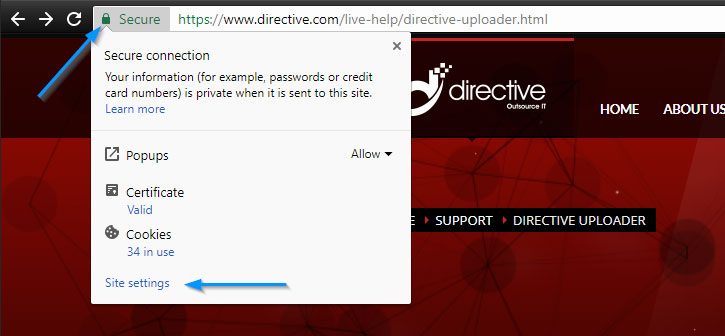
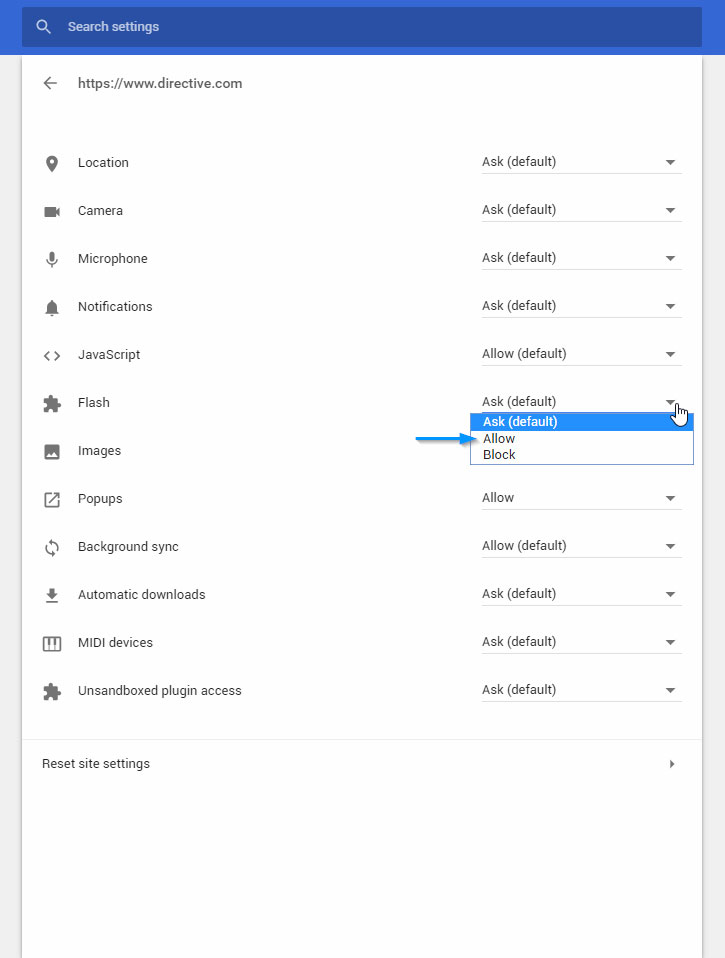
If you see an error message "The flash could not be loaded" it means that you have flash disabled in your browser. To enable flash please review the instructions for your specific browser. In most cases you simply need to enable flash in the settings of your browser or click the "allow flash player" prompt that appears on the page. Google chrome users will need to click the "Site Options" button next to the URL then adjust the settings for this website to allow flash as shown below.