
888.546.4384|607.433.2200


livechat icon

Live Chat Support

Live Online Meeting

WEB DESIGN SERVICES

CREATE ACCOUNT

*

*

*

*

*

*

FORGOT YOUR PASSWORD?

*

Don’t wait any longer. Get started today!


Tech Minutes

Directive has been serving the Oneonta area since 1993, providing IT Support such as technical helpdesk support, computer support, and consulting to small and medium-sized businesses.

Tip of the Week: Android Pie Tips and Tricks

Tip of the Week: Android Pie Tips and Tricks

There are over two billion active devices currently using Android. Most of them that have been purchased in the past year or so have come with, or have been subsequently updated to, Android 9.0 Pie. With the introduction of their newest mobile OS, Google has ensured that their software powers more mobile phones than any other software in the world. Today, we’ll take a look at some handy tips you can use to get the most out of your Android Pie experience.

0 Comments

Continue reading

Power Off, or Leave It On?

Power Off, or Leave It On?

At the end of the day, do you shut down your computer or do you put it into sleep mode? Depending on what you need from your device the next day, you might want to consider which option benefits you the most. Here are some of the pros and cons of both approaches so that you can pick which one best suits your situation.

0 Comments
Continue reading

Can You Recognize the Risks that Appear in Your Email?

Can You Recognize the Risks that Appear in Your Email?

Email is often touted as a favorite medium for launching cyberattacks against businesses and individuals. This is because it’s easy to hide the true intent behind an email attack within its contents, whether they are embedded images in the message itself, or links to external sources. How can you know for sure whether the links in your email inbox are legitimate?

0 Comments
Continue reading

Updates and Patches are Critical to Your Infrastructure’s Security

Updates and Patches are Critical to Your Infrastructure’s Security

When you get a new device, you’re getting more than just the physical device and whatever software is currently installed on it. You’re also getting any updates and patches that the manufacturer and software developers release. However, many users neglect to incorporate these key improvements. Today, we’ll go over why updates and patches are so crucial.

0 Comments
Continue reading

A “Disaster” Covers More Than You’d Think

A “Disaster” Covers More Than You’d Think

What one organization considers a disaster might be much different than what another business might see as disastrous. Perhaps one sees the loss of a few hours and a few files as something that can be recovered, while another sees every lost moment and each iota of data as a catastrophe. Whichever camp you find yourself in, you need to be able to do two things: first, gauge how serious a given data loss disaster is, and secondly, establish what must be done to get back in action following said disaster.

0 Comments
Continue reading

Tech Term: An Introduction to Proxy Servers

Tech Term: An Introduction to Proxy Servers

There are plenty of technical terms and solutions that, while heard of frequently enough, it may not be completely clear what they mean or refer to. A proxy server is an excellent example of such a solution. This week, we’ll examine this tech term and review how utilizing proxy servers can help your business.

0 Comments
Continue reading

Tip of the Week: Is Spam Ruining Your Email?

Tip of the Week: Is Spam Ruining Your Email?

You don’t need us to tell you that it’s extremely dangerous to hand out information to just anyone that contacts your business. This is important to keep in mind, especially considering how the majority of threats can be sent via email. You’ll likely encounter situations where you need to consider whether or not to click on attachments, as you could potentially put your business at risk.

0 Comments
Continue reading

Tech Term: Understanding HTML and Plain Text

Tech Term: Understanding HTML and Plain Text

During your time around computers, chances are high that you’ve heard the phrase “plain text” and the acronym “HTML” tossed around when it comes to your email. If you aren’t sure what these statements refer to, we’re here to help. Today, we’ll examine both HTML and plain text to produce a better understanding of these tech terms.

0 Comments
Continue reading

Remote Work is a Huge Help, With the Right Preparation

Remote Work is a Huge Help, With the Right Preparation

There are plenty of benefits to allowing your employees to work from home, but that doesn’t mean you can just implement it without consideration and planning. You have to have a system in place that allows you to enjoy the benefits of remote capabilities while mitigating some of its potential risks.

0 Comments
Continue reading

Ransomware Makes Backup a Necessity

Ransomware Makes Backup a Necessity

Your business relies on its data to succeed, which lends itself to the fact that your organization needs to have some sort of security measures put into place to guarantee its safety. 2018 is thought to be the year of ransomware, so it stands to reason that your business should prepare to deal with it. One of the best ways to deal with ransomware is to make sure that your company has a plan to restore data affected by said ransomware.

0 Comments
Continue reading

Overburdened Business Owners Should Consider Managed IT

Overburdened Business Owners Should Consider Managed IT

It’s no secret that a business owner has more than enough to deal with, regardless of that business’ size.

Whether the business has 10 employees or 100, the business owner has to deal with the stress of managing the minutiae of everyday operations, along with any other issues that may pop up. As one might assume, financial concerns can contribute considerably to that stress.

0 Comments
Continue reading

Tip of the Week: Awareness Is Important When Surfing the Web

Tip of the Week: Awareness Is Important When Surfing the Web

We all love the Internet. We all use it almost every day. For this week’s tip, we’ll review a few ways to help keep yourself from getting in trouble while browsing.

0 Comments
Continue reading

Tip of the Week: 3 Crucial Pieces of HIPAA Compliance

Tip of the Week: 3 Crucial Pieces of HIPAA Compliance

If your work requires you to store medical data, you should be aware of how important your data security is, as a problem could potentially put your business at risk of closing up shop permanently. Security has to be a priority with so many regulations setting compliance standards that must be followed. How can you balance the effectiveness of your business without undermining its security?

0 Comments
Continue reading

Tip of the Week: Keeping Productivity Up When the Internet is Down

Tip of the Week: Keeping Productivity Up When the Internet is Down

Modern businesses rely pretty heavily on the Internet--so much so that, should the Internet go down, many employees will find themselves at a loss as what to do. However, there’s no need to sacrifice productivity just because your Internet isn’t cooperating. There are plenty of ways to get something done on a day that the Internet calls in sick, which we’ll go over for today’s tip.

0 Comments
Continue reading

Tip of the Week: Why You Should Reexamine Your Business Practices

Tip of the Week: Why You Should Reexamine Your Business Practices

As a business adopts certain “best practices,” it is important for business leaders to consider why they are adopted, and more importantly, are they really for the best? There are many problems that subscribing to false best practices can produce, and so it becomes important to identify, adjust, and resolve them.

0 Comments
Continue reading

Tip of the Week: What to Do When the Internet Goes Out

Tip of the Week: What to Do When the Internet Goes Out

Losing Internet can be a large problem in the business world, as we all become more and more reliant on it. Downtime of this kind can be immensely frustrating. However, not all hope is lost, as there are ways to troubleshoot the cause of an Internet outage.

0 Comments
Continue reading

Tip of the Week: Need to Write an Email? Keep These 5 Steps in Mind

Tip of the Week: Need to Write an Email? Keep These 5 Steps in Mind

There are good emails, and there are bad emails. You know them when you see them, but can you write an email that’s more likely to be read and acted upon? There are a few key steps to writing them more effectively. For this week’s tip, we’ll walk you through five steps to improving your emails.

0 Comments
Continue reading

Tip of the Week: We All Make Mistakes, but Try To Avoid These Computing Ones

Tip of the Week: We All Make Mistakes, but Try To Avoid These Computing Ones

Mistakes happen, especially where technology is involved. There are plenty of ways that user error can occur when using a computer--many of which are avoidable through simple preventative measures. For our tip this week, we’ll go over some behaviors to avoid when using a computer.

0 Comments
Continue reading

Tip of the Week: Tricks for Better Internet Browsing

Tip of the Week: Tricks for Better Internet Browsing

If you use the Internet every single day, you’ll start to realize that you can use it more effectively for achieving your goals. In cases like this, it’s important to look at ways you can improve your overall use of the Internet, as it’s the key way you access important information, applications, and contacts. Here are some day-to-day tips that you can use to help improve your mastery of the Internet.

0 Comments
Continue reading

Your Business Can Take Advantage of Black Friday Deals, Too

Your Business Can Take Advantage of Black Friday Deals, Too

Black Friday: it’s the name given to the unofficial first day of the holiday shopping season, and is associated with the generally unparalleled deals on consumer products. Many consumers use this day’s incredible deals to justify spending their day buying (and often fighting over) a limited amount of goods. However, have you ever considered that Black Friday can also be a good day to both advance your B2B operations and take advantage of some deals yourself?

0 Comments
Continue reading

Your Mouse Can Do More Than You Think

Your Mouse Can Do More Than You Think

You’ve used a mouse for years, but do you know of all the neat little tricks that it’s capable of? We’ll show you just how much you can get done with your mouse.

0 Comments
Continue reading

Tip of the Week: How to Better Use Your Smartphone in Five Easy Steps

Tip of the Week: How to Better Use Your Smartphone in Five Easy Steps

Your smartphone is an incredible tool, capable of doing so much for you as you go about your personal and professional days. For this week’s tip, we’ve put together some of our favorite ways to squeeze even more function and convenience out of your mobile device.

0 Comments
Continue reading

Tip of the Week: What Changed With Google Calendar’s Update?

Tip of the Week: What Changed With Google Calendar’s Update?

If you are a dedicated user of Google Calendar, you’ll have realized that it’s recently undergone a significant improvement. Google has pushed out an update that has really polished their calendar in terms of both visual appearance and functionality, which is something that you’ll really appreciate, especially if you are a G Suite user. How can you use this new version of Google Calendar for your business?

0 Comments
Continue reading

Is Your BYOD Strategy Up to Standards?

Is Your BYOD Strategy Up to Standards?

BYOD, or Bring Your Own Device, policies have proven to be a highly effective way for companies to save money. However, these policies need to address some of the shortcomings, potential costs and issues that comes with employees bringing and using their own devices could present to your business--not to mention security concerns.

0 Comments
Continue reading

Protect Yourself Against Bad Luck With Data Backup

Protect Yourself Against Bad Luck With Data Backup

Whether you are suspicious or not, today seems like a good day to talk out what can happen if some bad luck interferes with your business. Disasters can come in all shapes and sizes, from a freak storm destroying your place of business and every IT component you had inside, to an employee whose path was crossed by a black cat accidentally spilling their coffee on their keyboard as they access some key data.

0 Comments
Continue reading

Tip of the Week: Planning Your Holiday Travels? Have A Plan For Productivity

Tip of the Week: Planning Your Holiday Travels? Have A Plan For Productivity

Back to school is upon us and then it’s a hop, skip, and jump until the holidays arrive. With more companies allowing their employees to work remotely, holiday travel will mean that people are going to be taking their work on the road with them. Preventing credit card and identity theft has been a priority for shoppers during the season for many years. It’s important that the same security considerations be given to technology being used for business while traveling.

0 Comments
Continue reading

Tip of the Week: 10 Tech Practices That Make Work Better

Tip of the Week: 10 Tech Practices That Make Work Better

Each worker within an organization is delegated some sort of responsibility based on their role. Managers are responsible for managing, while human resources keep all workers accountable for their responsibilities. Yet, there are multiple responsibilities designated to all employees who use technology for their everyday duties.

0 Comments
Continue reading

Tip of the Week: Microsoft Outlook Is Easier With Shortcuts

Tip of the Week: Microsoft Outlook Is Easier With Shortcuts

Microsoft Outlook can be a fantastic way to communicate, but only if you know how to best use it. When you’re using it to reach out to clients or vendors, you need to consider all of the best practices and shortcuts you can to make the most of it. We’ll discuss some of the best ways that you can use Microsoft Outlook to help your business function better as a whole.

0 Comments
Continue reading

Do Your IT Solutions Support You the Way They Should?

Do Your IT Solutions Support You the Way They Should?

When selecting which solutions, your business will need as a part of its information technology infrastructure, it helps to look to the future and your plans to advance and expand. Of course, it also doesn’t hurt to make sure that you and your needs are covered, just in case something were to go wrong. This is why it is important to be sure you know the answers to the following questions, especially when someone else is managing your IT solutions.

0 Comments
Continue reading

Have You Lost Control Of Your Network?

Have You Lost Control Of Your Network?

There are some tasks that are essential to the health of your business’ network. For example, you need to make sure that you are engaging in regular network management activities. Do you know what this task entails?

0 Comments
Continue reading

Tip of the Week: Practices to Improve Time Management

Tip of the Week: Practices to Improve Time Management

If there’s any experience that’s universally shared by the modern worker, it’s the sensation that there aren’t enough hours in the day. Fortunately, there are some habits that can be developed that can help to mitigate these feelings by enhancing productivity. For this week’s tip, we’ll discuss some of these practices to help boost your office’s time management capabilities.

0 Comments
Continue reading

On A Scale of "Um...?" To "Safe," How Well Managed Is Your Data?

On A Scale of "Um...?" To "Safe," How Well Managed Is Your Data?

Putting together your workforce is something that requires painstaking attention to detail. You found workers who are willing to work as hard as possible to further your organization’s goals. Yet, you have to remember that even the most perfect employees are still human, and that they can make mistakes and can put the organization’s data at risk. User error is a common problem, and it is one of the most important things to keep in mind while you set up your information systems.

0 Comments
Continue reading

While Dragons Might Not Stand Guard, HBO Is Serious About Data Security

While Dragons Might Not Stand Guard, HBO Is Serious About Data Security

With the mountainous success of Game of Thrones, the BBC-produced show has always been understandably concerned with their security. However, with the show officially overtaking the original source material, A Song of Ice and Fire, there is an increased presence of curious fans and members of the press with an eye out for a sneak peek at the action. This has led to more; somewhat more modern measures being adopted to keep the production’s secrets safe.

0 Comments
Continue reading

Keep Bring Your Own Device From Becoming Bring Your Own Disaster

Keep Bring Your Own Device From Becoming Bring Your Own Disaster

Do you let your employees bring their own devices in for use on your company network or Wi-Fi connection? If so, we’re sure that they love the freedom that you provide for them, but we must warn you of the dangers that this can bring to an otherwise careful business. We’ll discuss some of the benefits, as well as the pitfalls, of allowing your employees to use personal devices in the workplace.

0 Comments
Continue reading

Tip of the Week: 5 Ways Thieves are Looking to Scam Shoppers

Tip of the Week: 5 Ways Thieves are Looking to Scam Shoppers

It’s seems unbelievable just how much thought and effort hackers can put into their attacks. Scammers are all over the place, and you can never truly be safe. Here are six scams that you should always be on the lookout for.

0 Comments
Continue reading

You Can’t Afford to Let Your Network Go Unmanaged

You Can’t Afford to Let Your Network Go Unmanaged

While maintaining any system can be a pain, your business can’t afford not to maintain your network. An MSP can help you to do so, delivering the benefits of regular network maintenance.

0 Comments

Continue reading

Tip of the Week: 3 Easy Ways to Improve the Performance of Your Chrome Web Browser

Tip of the Week: 3 Easy Ways to Improve the Performance of Your Chrome Web Browser

If you use Google Chrome as your preferred browser, you’ll notice that its performance might dip considerably at times. Thankfully, there are ways to see just what’s causing the problem, and issues can be mitigated easily enough with a little bit of knowhow.

0 Comments
Continue reading

Tip of the Week: Improve Operational Efficiency Simply By Adding More Monitors

Tip of the Week: Improve Operational Efficiency Simply By Adding More Monitors

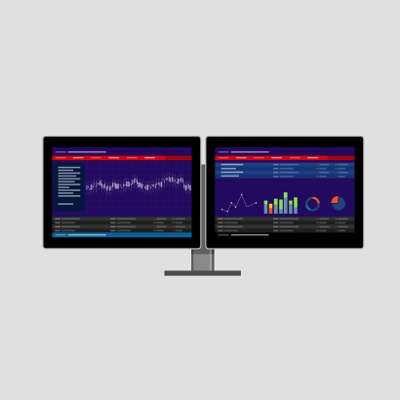
How many monitors do you use? How many do your employees use? If they only have one monitor to be productive with, it could be hampering their ability to work efficiently. By incorporating a second monitor you can provide the construct to overhaul your employee’s productivity and efficiency.

0 Comments
Continue reading

Tip of the Week: How to Troubleshoot a Noisy Computer

Tip of the Week: How to Troubleshoot a Noisy Computer

For the average PC, most of its noise comes from its fans. Computers are typically built with cooling fans that are meant to operate at acceptable noise levels. Although, as machines age, they tend to require more work out of the installed fans in order to keep the components cool, which may explain why your old machine is much louder today than when you first got it.

0 Comments
Continue reading

Tip of the Week: Shave Time Off the Work Day By Adding More Monitors

Tip of the Week: Shave Time Off the Work Day By Adding More Monitors

If your employees are still working at workstations with a single monitor, you may be doing your workplace productivity a disservice. While adding a second screen to their desk may not seem like an effective efficiency booster at first, the benefits it can have are very real.

0 Comments
Continue reading

Tip of the Week: How to Get Optimal Efficiency Out of Your Solid State Drive

Tip of the Week: How to Get Optimal Efficiency Out of Your Solid State Drive

In recent years, the familiar hard disk drive has slowly been losing ground to the much faster solid state drive. As they operate through very different processes, there are a few critical differences that you need to be aware of: SSDs have a limit to how many times data can be rewritten on the drive. This limit isn’t small, a standard consumer SSD drive is rated to sustain 40 gigs of data writing per day for 10 years. This may seem like a lot, but you’ll only get good results if you meet certain requirements and practices.

0 Comments
Continue reading

Tip of the Week: How to Plan Your Network’s Cabling Like an IT Pro

Tip of the Week: How to Plan Your Network’s Cabling Like an IT Pro

A crucial step of setting up your business is the implementation of a physical infrastructure, including cabling and electrical lines. Unfortunately, the same setup won’t work for two very different businesses, so you’ll need to put considerable time and effort into the cabling process as a whole. Here are a few ways that you can make the process easier.

0 Comments
Continue reading

Tip of the Week: 12 Security Rules Every PC User Should Follow

Tip of the Week: 12 Security Rules Every PC User Should Follow

While you are probably spending a fair amount of time thinking about your business’ security, can you confidently say the same about those that you’ve employed? Unfortunately, your workers may not put much thought into network security. This could very possibly lead to some severe issues potentially harming your business operations.

0 Comments
Continue reading

Tip of the Week: Here’s an Easy Way to Update Your Hardware Drivers in Windows 10

Tip of the Week: Here’s an Easy Way to Update Your Hardware Drivers in Windows 10

The average employee and business owner relies on various hardware solutions to go about their day-to-day duties. These hardware devices--think keyboards, wireless mouses, external microphones, and any USB devices--utilize drivers which allow for inter-device compatibility. What happens when these drivers aren’t installed or kept up to date? Your technology suffers, and so does your productivity.

0 Comments
Continue reading

Tip of the Week: How To Troubleshoot a Faulty Internet Connection

Tip of the Week: How To Troubleshoot a Faulty Internet Connection

An Internet connection is one of the most crucial parts of running a modern business. However, this type of reliance can be crippling in the event that the Internet goes down. What can you do to make sure that downtime is limited to a minimum?

0 Comments
Continue reading

Tip of the Week: Optimize Your Computer By Taking Care of the Clutter

Tip of the Week: Optimize Your Computer By Taking Care of the Clutter

Do you remember the day that you purchased your current workstation? Maybe it was last week, last month, last year, or several years ago. At one point, it was pristine, untouched by the demands of the workday, but those days have long since passed. Over time, your computer collects all sorts of stuff on it, from unnecessary files to outdated, unused software.

0 Comments
Continue reading

Tip of the Week: Find Your Lost Smartphone With Ease

Tip of the Week: Find Your Lost Smartphone With Ease

Oh no! You start slapping your pockets, already knowing what you’re about to confirm--your mobile device is missing. With the reliance we have on these devices, losing yours is enough to send you into a relative panic. However, this panic may be avoided by implementing a reliable solution specifically for locating a lost device.

0 Comments

Continue reading

Tip of the Week: 4 Easy Ways to Share Files

Tip of the Week: 4 Easy Ways to Share Files

There are many ways to share a file between two computers. Being familiar with multiple options will certainly come in handy, especially when your preferred method of file sharing isn’t an option (like when you can’t find your flash drive, or maybe you lose Internet connection). For this week’s tip, here are four options to help your business more effectively share files.

0 Comments
Continue reading

Tip of the Week: 2 Ways to Ensure Privacy When Using a Public PC

Tip of the Week: 2 Ways to Ensure Privacy When Using a Public PC

Before we dive into this week’s tip, it has to be said: if you have a choice, you should probably avoid using a public computer. As a rule, these machines feature minimal security precautions, along with maximum risk to any data accessed by the PC. Although, if a situation ever arises in which you have no choice but to use a public computer, be sure to follow these security best practices.

0 Comments
Continue reading

Tip of the Week: 6 Ways to Charge Your Mobile Device Battery Faster

Tip of the Week: 6 Ways to Charge Your Mobile Device Battery Faster

You only care about how long your device’s battery lasts when it’s in the red, and at that point, it’s almost too late to find somewhere to charge. In situations like this, your first thought is, “Where is the nearest outlet?” Subsequently, your next thought might be, “How can I charge the battery faster?”

0 Comments
Continue reading

Tip of the Week: Simple Ways to Help Your Employees Know More About IT

Tip of the Week: Simple Ways to Help Your Employees Know More About IT

How much of managing your IT resources are your employees responsible for? SMBs will often have their employees service their own workstations to some degree, primarily because they don’t have the resources to devote entirely to IT management and maintenance. This lack of IT talent can largely be made up for by training your employees on basic computer tasks.

0 Comments
Continue reading

Tip of the Week: 4 Key Spots Every Business Should Cover With Security Cameras

Tip of the Week: 4 Key Spots Every Business Should Cover With Security Cameras

Whether you are looking to prevent theft, curb employee time-wasting, or get a handle on workplace efficiency, security cameras are a solution that prevents and protects you from a wide variety of issues.

0 Comments
Continue reading

Tip of the Week: Protecting Against Identity Theft in the Workplace is as Easy as Following These Tips

Tip of the Week: Protecting Against Identity Theft in the Workplace is as Easy as Following These Tips

On average, how many people do you think are affected by identity theft? According to the United States Bureau of Justice, about five percent of its population; about 11.7 million people, are victims of identity theft. Their methods might vary, but the one thing that all victims have in common is that they hold information that presents value to hackers. Among these victims could be a few that hit close to home: your employees.

0 Comments
Continue reading

Tip of the Week: How You Can Beat These 4 Common Scams

Tip of the Week: How You Can Beat These 4 Common Scams

Cybersecurity is one of the most important aspects of running a business. Therefore, here are some of the best ways that your employees can contribute to your company’s technology security practices.

0 Comments
Continue reading

Tip of the Week: How to Get the Most Out of Your Meetings

Tip of the Week: How to Get the Most Out of Your Meetings

Meetings: they’re known in the business world as a necessary evil. However, this doesn’t have to be the case. With a few adjustments, you can create the ideal conditions for effective and efficient meetings.

0 Comments
Continue reading

Tip of the Week: 3 PC Maintenance Tips Every User Should Know

Tip of the Week: 3 PC Maintenance Tips Every User Should Know

Owning any piece of technology in today’s day and age is like a playing with fire. While it’s a great tool that has allowed civilization to grow and make great strides toward a better future, there’s also significant risk involved with owning such an expensive piece of technology. If it breaks down on you, you’ll be left with both a dent in your pocket and possibly even a chunk of your data missing. Here are three ways that even the average PC user can improve the performance of their technology and extend its life cycle considerably.

0 Comments
Continue reading

Tip of the Week: 3 Tips to Cleaning a Computer that Anyone Can Do

Tip of the Week: 3 Tips to Cleaning a Computer that Anyone Can Do

When you invest in a new computing device, you should know that a little bit of tender loving care goes a long way toward prolonging its lifespan. Yet, cleaning your device can be a bit tricky, especially if you don’t want to risk permanent damage to its components. Thankfully, it’s not rocket science to clean up your PC, especially when you have this step-by-step guide.

0 Comments
Continue reading

Tip of the Week: Shop Safe While Online With These 3 Common-Sense Tactics

Tip of the Week: Shop Safe While Online With These 3 Common-Sense Tactics

It seems that you can find absolutely anything while shopping online, but unfortunately, this also includes cyber threats. No deal is worth the risk of a hacking attack, but some best practices can help you stay safe while searching for that great bargain.

0 Comments

Continue reading

Tip of the Week: 4 Ways to Resolve the Blue Screen of Death

Tip of the Week: 4 Ways to Resolve the Blue Screen of Death

It’s quite possibly the most infamous screen image in computing: the Blue Screen of Death. Encountering this screen will often cause two thoughts to run through a user’s mind: what just happened, and how can I fix it?

0 Comments
Continue reading

Tip of the Week: Overwhelmed With Email? Try These 3 Helpful Tips

Tip of the Week: Overwhelmed With Email? Try These 3 Helpful Tips

Email is a central part of any functional modern office, but if you aren’t proactive in keeping your inbox under control, you could be wasting time on unnecessary messages or spam. If you want to get the most out of your workday, it’s imperative that you take back control of your business email inbox. Here are three ways that yourself and your employees can clean up your inboxes and waste less time throughout the work day.

0 Comments

Continue reading

Tip of the Week: 3 Exercises to Offset the Pain of Working From a Desk

Tip of the Week: 3 Exercises to Offset the Pain of Working From a Desk

Welp, we’re all doomed. It turns out that sitting all day at your desk is one of the worst things you can do for your health. Alternatively, numerous studies have shown the health benefits of trading your traditional desk in for a standing desk. One study even goes so far as to claim that standing at work is the best anti-aging technique you can do!

0 Comments
Continue reading

Use Your Smartphone With the Lights Off and Risk Temporary Blindness

Use Your Smartphone With the Lights Off and Risk Temporary Blindness

You may have heard of digital eye strain. The Vision Council defines it as “the physical discomfort felt after two or more hours in front of a digital screen and is associated with the close to mid-range distance of digital screens.” As annoying as this condition is, in some cases, it has actually developed into something far worse, like temporary blindness.

0 Comments

Continue reading

Tip of the Week: How Instant Messaging Can Be Used to Improve Workplace Collaboration

Tip of the Week: How Instant Messaging Can Be Used to Improve Workplace Collaboration

Instant messaging is commonplace in today’s society. It used to be primarily for social interaction, but its success was so overwhelming that business professionals have implemented it into their daily communications. Although, despite the advantages that instant messaging can provide, you still have to jump through some hoops in order to bypass what it’s become; an immense annoyance.

0 Comments
Continue reading

Tip of the Week: Why Routinely Changing Your Password May Be a Bad Idea

Tip of the Week: Why Routinely Changing Your Password May Be a Bad Idea

You’ve heard it said that it’s a best security practice to routinely change your passwords. The idea here is that, if a password were stolen, then it would lose its value when the user goes to change it. While this sounds like solid logic, new research shows that it may actually be better NOT to change your passwords.

0 Comments

Continue reading

Tip of the Week: Stop Micromanaging and Improve Employee Focus and Collaboration

Tip of the Week: Stop Micromanaging and Improve Employee Focus and Collaboration

With the opportunity to track metrics becoming more readily available for all types of businesses, some organizations invest heavily into time-tracking software and other KPIs that they believe will help their team be more efficient in the workplace. However, this might be having a negative effect on the quality of work being performed. Irv Shapiro, CEO of DialogTech, suggests that, instead of tracking time, employers should be tracking results.

0 Comments
Continue reading

The Top 3 Threats Eliminated By Backing Up Your Data

The Top 3 Threats Eliminated By Backing Up Your Data

Businesses these days practically need to expect disaster, as even the most careful and calculated security practices could result in a data disaster. Some businesses don’t fear for their data enough, and this leads them to neglect planning for threats such as hackers, natural disasters, and user error. As the business owner, you need to stay informed about how best to handle these situations.

0 Comments
Continue reading

Tip of the Week: Protect Your Online Identity With These 8 Tips

Tip of the Week: Protect Your Online Identity With These 8 Tips

The Internet has long been a great tool for business, but you can’t take advantage of it without putting your sensitive data at risk of threats, like hackers and malware. Granted, when it comes to cyber security, even the most cautious business will have a lot on their plate. We’ll go over eight of the most important security best practices, and how you can implement them for your business.

0 Comments
Continue reading

Tip of the Week: 6 PC Troubleshooting Guidelines that Every User Should Know

Tip of the Week: 6 PC Troubleshooting Guidelines that Every User Should Know

When was the last time that you ran into a problem that was easily solvable, simply by restarting your computer or unplugging a device from the wall, then plugging it back in? Often times, simple troubleshooting tactics can be enough to resolve a problem, but more often than not, there are issues that can’t be easily resolved. It’s these ones that hold businesses back, and we’re here to help.

0 Comments

Continue reading

Tip of the Week: Why Having an Extra Workstation is Worth It
Tip of the Week: Why Having an Extra Workstation is Worth It

For every business, it’s essential to be prepared for any unforeseen problems that can disrupt day-to-day operations. One easy way to do this is by keeping an extra workstation on hand.

0 Comments
Continue reading

Tip of the Week: How to Avoid Back Pain and Eye Strain in the Office

Tip of the Week: How to Avoid Back Pain and Eye Strain in the Office

Working at a desk is a fairly inescapable for the modern office worker. The trouble with sitting at a desk for long intervals is that it causes physical issues, especially if the workspace isn’t properly set up. Fortunately, you don’t have to invest in specialized equipment; it’s fairly simple to establish best practices that will ensure employee comfort and productivity.

0 Comments
Continue reading

Tip of the Week: 6 Tips to Becoming a Morning Person

Tip of the Week: 6 Tips to Becoming a Morning Person

If you’ve ever tried to wake up before 6:00am, you know how difficult it can be. Crawling out of bed can be pure torture, and the thought of working for another eight, ten, or even twelve hours can be soul-crushing. Despite how difficult it can be to wake up, getting out of bed early and starting your day on a positive note can set the tone for your entire workday. Here are six ways that you can make your mornings less painful and build a productive routine.

0 Comments
Continue reading

Take it From This Poor Schmo, One Wrong Click Can Delete Your Entire Company

Take it From This Poor Schmo, One Wrong Click Can Delete Your Entire Company

It’s every business owner’s worst nightmare: one mistake, and all of their data is wiped out. This very situation happened recently to a hosting provider, and his story serves as a cautionary tale in regard to data storage best practices.

0 Comments
Continue reading

Tip of the Week: 4 Ways to Get a Handle on Social Media in the Workplace

Tip of the Week: 4 Ways to Get a Handle on Social Media in the Workplace

Social media may be a great way to connect with other professionals and communicate with your friends, but it can be dangerous if you have poor posting habits. Before you share something, think twice about whether it contains any sensitive information that could be risky to yourself and your business.

0 Comments
Continue reading

Tip of the Week: 5 Surefire Ways to Ruin Your Smartphone

b2ap3_thumbnail_smartphone_break_400.jpgThe best way to get the most life out of your smartphone is to take care of it. Or, you can ignore proven best practices and witness your smartphone meet its untimely demise. By not taking care of your smartphone in these five ways, you’ll be sure to doom your device.

0 Comments

Continue reading

The 4 Most Pressing IT Issues You Have to Be Aware Of

b2ap3_thumbnail_it_lessons_400.jpgRegardless of how your business’s administration is set up, you should be aware that anyone in a position of authority must have a basic understanding of how IT, and its related responsibilities, functions for your business. Here are four ways that you can learn more about how IT works within your organization.

0 Comments
Continue reading

Tip of the Week: How to Effectively Take Advantage of Multiple Displays

b2ap3_thumbnail_multiple_displays_pros_and_cons_400.jpgOne of the best ways businesses are providing employees with the means to be more productive with their workstations is by issuing them multiple displays. There are various advantages and disadvantages to using multiple displays that you should be aware of.

0 Comments
Continue reading

Why Does Rebooting Your PC Take Care of So Many Issues?

b2ap3_thumbnail_what_does_a_reboot_do_400.jpgWhen you call tech support, you’re probably going to get the same response every single time: “Have you tried turning it off and on again?” There’s a reason that this happens so often, and it’s because restarting your computer is a great, low-tech way to resolve some basic issues with your system. However, it’s still good to be cautious about more serious issues that a reboot won't fix. We’ll walk you through what a reboot does, and it can be effective at fixing minor issues with your PC.

0 Comments
Continue reading

Tip of the Week: 4 Brilliant Ways to Get More Work Done

b2ap3_thumbnail_productivity_tips_400.jpgThere are some workdays where distractions are abound and you can’t even remember what you’re supposed to be doing. In trying times like these, you need all the help you can get, just to stay focused and on task. Here are four simple adjustments to your work routine that have been proven to do wonders to increase productivity.

0 Comments
Continue reading

5 Ways to Put Your Staff Ahead of Frivolous Office Expenses

b2ap3_thumbnail_cut_your_costs_400.jpgEvery business wants to be like Google and provide employees with a dynamic place to work, filled with amenities. It would probably be a dream come true for your organization to sit next to Google on Glassdoor’s annual list of “50 Best Places to Work.” Reality check: you’re not Google, as you’re reminded of this every time you attempt to balance your company’s budget.

0 Comments
Continue reading

Tip of the Week: Follow These 4 Best Practices to Keep Your Computer Clean

b2ap3_thumbnail_clean_your_pc_400.jpgA computer is a complex machine that demands routine maintenance and intentional caretaking. If ignored, the machine’s lifespan will be cut short. Here are four best practices that will ensure you get the most out of your PC.

0 Comments
Continue reading

Tip of the Week: On or Off, Which is Better For Your PC at the End of the Day?

b2ap3_thumbnail_on_or_off_400.jpgAfter a long, hard day at the office, you might be tempted to just log off of your workstation so you can get right back into it the next day. However, you also have the option to shut down the PC, which can be beneficial at times. So, what should you do; power down your desktop, or simply log off? Both have their own pros and cons, so it’s important that you’re informed of how you make this decision.

0 Comments
Continue reading

Tip of the Week: How to Clean Your Monitor, Keyboard, and the Inside of Your PC

b2ap3_thumbnail_clean_computer_tips_400.jpgA clean computer is a happy computer. Just like any other piece of gadgetry, a computer requires regular cleanup sessions that allow users to get the most from them. In fact, January is known as Clean Up Your Computer Month, so what better way is there to ring in the new year than making sure your computer is in tip-top shape?

0 Comments
Continue reading

77% of Businesses Virtualize Their IT In Some Capacity, What About You?

b2ap3_thumbnail_virtualization_400.jpgTechnology solutions for small and medium-sized businesses can be complex, which is why simplification is at the top of a lot of executives’ priorities. To this end, virtualization is a key component, helping organizations make their IT easier to manage. What effect does this have on data security?

0 Comments
Continue reading

Tip of the Week: Notifications are What’s Draining Your Battery, Not Open Apps

b2ap3_thumbnail_dont_close_apps_400.jpgWe’ve all run into the trouble of keeping our smartphone’s battery preserved for as long as possible. Many people think that the apps themselves are what bogs down the battery and drains its charge, but we’re here to tell you that this is not the case. Instead, let’s determine what really drains your device’s battery.

0 Comments
Continue reading

Tip of the Week: 4 Reasons Your WiFi May Be Slow

b2ap3_thumbnail_wifi_interuption_400.jpgWireless Internet access is a luxury that seems commonplace, but there are many who experience trouble with their connections on a daily basis. Sometimes the problem stems from familiar issues that could happen at any minute, but other times the issues might not be so obvious. Either way, you should be aware of the most common disruptions to your WiFi signal, even those that you might not consider problems.

0 Comments
Continue reading

Tip of the Week: Hate Spoilers? You’ll Love This App!

b2ap3_thumbnail_spoiler_alert_400.jpgThe average human being spends a significant portion of their life online, especially now that smartphones make staying connected to the latest happenings in both news and entertainment even easier than before. This, unfortunately, makes it rather easy to see spoilers for major plot points in your favorite movies, TV shows, or video games. To avoid these, try out the Spoiler Alert extension for Google Chrome.

0 Comments
Continue reading

Tip of the Week: Don’t Underestimate How These 3 Mistakes Can Ruin Your Computer

b2ap3_thumbnail_pc_mistakes_400.jpgNothing can damage a computer quite like user error. It’s sad when this happens because it’s often the case that the resulting issues could’ve easily been prevented if the user simply knew of PC best practices. Take for example these three easily-preventable PC mistakes that will do your computer harm.

0 Comments

Continue reading

Tip of the Week: Even the Most Careful People Fall For These 4 Email Mistakes

b2ap3_thumbnail_email_gaffes_400.jpgDespite the rapid advancements of business technology in the past decade, enterprises the world over are still heavily dependent upon email. Therefore, every modern worker needs to be trained on how to send a professional email. If not, classic email mistakes will be made that could bruise your company’s reputation, like these four common email blunders.

0 Comments
Continue reading

Tip of Week: Manage Your Photo’s File Sizes to Save Disk Space

b2ap3_thumbnail_resize_images_that_you_share_400.jpgToday, just about everyone has a digital camera in their pockets, which has led to an unprecedented amount of picture taking compared to the days when photos had to be developed. Having more cameras has turned us into a more visual society, but not every amateur photographer understands how to best manage all of their photos, which causes problems.

0 Comments

Continue reading

Make Your Digital Life Easier By Consolidating Your Various Email Accounts

b2ap3_thumbnail_solutions_400.jpgHow many email accounts do you have? At the very least, you have one for work and for one that’s personal, and if you’ve been doing email long enough, then you may have a few accounts left over from years ago which you rarely check (like your email address from college). Is there a way to combine these scattered accounts into an email address of your choice?

0 Comments
Continue reading

4 Data-Loss Causing Disasters that You Must Be Prepared For

b2ap3_thumbnail_disaster_recovery_400.jpgSeptember 30th is Disaster Preparedness Day. This gives us a great reason to go over some of the most common disasters that can potentially affect your businesses. There are dozens of potential disasters to choose from, but since we’re an IT company, we’re going to focus on the four top disasters that can mess with your company’s IT infrastructure.

0 Comments

Continue reading

Disaster Preparedness Includes Planning For Data Recovery

b2ap3_thumbnail_prepare_for_the_worst_400.jpgToday is Disaster Preparedness Day! This means that there’s no time quite like the present for preparing for potential future data emergencies. While the type of disasters vary immensely depending on your business’s geographical location, every business needs a disaster recovery plan implemented as soon as possible.

0 Comments
Continue reading

Lock Your Doors and 2 Other No-Brainer Tips to Protect Your Data

b2ap3_thumbnail_desk_lock_security_400.jpgYou know the saying “you can never be too careful”? It’s always said by the person who understands the value of proceeding with caution, and understands that all it takes is a moment to lose everything. In some cases, it could be your workplace dignity, but in others, you need to cover your tracks to prevent hackers and other miscreants from performing the unspeakable: messing with your computer while you’re away from it momentarily.

0 Comments

Continue reading

Clever Kids and Employees Know How to Bypass Content Filters

b2ap3_thumbnail_use_the_content_filter_400.jpgWith so much nasty content just begging to get viewed on the Internet, it’s understandable why a content filter needs to be integrated into your company’s web viewing protocol. Still, it should be understood that your content filter isn’t going to keep all questionable content away from prying eyes. Therefore, the only way you can really know with certainty that your Internet users aren’t doing anything sketchy is to actively monitor their activity, and check for any suspicious websites.

0 Comments
Continue reading

SHOCK: 66% of Fired Employees Able to Access Their Former Company’s Cloud Data

b2ap3_thumbnail_rogue_ex_employees_400.jpgEvery business executive knows the struggle of employee turnover. Your employees might come and go, but your data is one thing that you can’t afford to lose from your business. You might feel that you can trust all of the employees who have put in years of effort to ensure your organization stays afloat, but you may be surprised to learn that a significant number of them will probably leave your company with at least some corporate data.

0 Comments

Continue reading

4 Ways to Troubleshoot Network Performance Issues

b2ap3_thumbnail_rmm_it_400.jpgAre you experiencing performance issues with your computer network? Does it seem like it’s not running as effectively as it used to? Given the nature of technology, eventually, you’ll have to replace all of your computer hardware. But before you do, give your network a boost by trying these four IT maintenance best practices.

0 Comments
Continue reading

Tip of the Week: 5 Common Sense Tactics to Safeguard Your Online Identity

b2ap3_thumbnail_anonymous_internet_use_400.jpgThe Internet can be a dangerous place thanks to the anonymity it provides. Yet, this anonymity is limited, especially if you take part in questionable Internet browsing activities. Take, for instance, the hack of Ashley Madison, a website dedicated to cheating on one’s spouse. This July, a hacker group called the “Impact Team,” infiltrated the site and is now threatening to expose these cheaters.

0 Comments

Continue reading

How Samsung Going With Non-Removable Batteries May Cause Injury to Idiots [VIDEO]
b2ap3_thumbnail_battery_safety_400.jpgIt’s been confirmed that Samsung is getting rid of both its removable battery and MicroSD slot for its newest line of Galaxy Note devices. This is a sad day for Galaxy fans that have always preferred the Android device over Apple’s iPhone for its customizable options such as these. For Samsung, it’s too early to tell if this will affect sales or not, but one thing’s for sure: a lot of phones will be destroyed before users “get it.”

0 Comments
Continue reading

Your Biggest Vulnerability May Come From Forgetting to Logout

b2ap3_thumbnail_your_workspace_400.jpgEven if you have the best network security tools in place, you can still fall victim to a major data breach, just by doing something as seemingly-harmless as not manually logging out of your online accounts.

0 Comments
Continue reading

Tip of the Week: What it Takes to Prepare and Deliver a Dynamic Presentation, Part 1

b2ap3_thumbnail_tips_for_presentation_400.jpgPresentations are always an important part of being a business owner, be it for a trade show, webinar, conference, or sales demonstration. If they scare you to death, don’t worry; you’re not alone. In fact, up to 74 percent of people suffer from speech anxiety (glossophobia), meaning that they have a tough time getting in front of a crowd and showing off their knowledge. Despite this fact, you can kick glossophobia to the curb by being proactive about your preparations.

0 Comments
Continue reading