As though the initial news of Equifax’s 2017 data exposure wasn’t bad enough, it has been discovered that there are even more victims than previously thought. While news like this is never good, it can bring a silver lining if the opportunities that such news presents are seized.
Tech Minutes
January 28th marks Data Privacy Day, a day intended to raise awareness of the importance of data privacy and educate users and business owners of its benefits. Spearheaded by the National Cyber Security Alliance, there are plenty of lessons the NCSA has to share with businesses as this day puts their, and their clients’, privacy in the spotlight.
Your data is one of the most important assets at your business’ disposal. It’s really indispensable. Not only are large amounts of it the result of successful operations, it also can help your organization better understand the intricacies of its own operations, and where you want it to go in the future. Does your business have a process for collecting, storing, and sorting vital data so that your organization can figure out where to go next?
When you delete a file off your PC, or your hard drive becomes corrupted, you just take for granted that the data is gone in perpetuity. That isn’t the case at all, and it can present problems for businesses and individuals alike. The thing is that it’s deleted, it’s gone, it ceases to exist, because you deleted it with your own hands.
Managing your businesses technology is important because your operations rely heavily on efficient access to information. One advantage that secure and reliable IT provides is the ability to remain competitive, as the slightest advantage could mean a world of difference in your given market. One new IT trend is the analysis of big data. If it is leveraged properly, you could help your business get the leg up on local competition.
As far as leaps in computing go, this one’s pretty tiny: a research team from IBM has managed to store data on a single atom. Despite the microscopic size of the result, the impact is potentially huge when one considers the effects this discovery could have on computing.
By now, you've heard about the many advantages of hosting your data and applications in the cloud. To take advantage of these money-saving benefits, you'll want to select the right cloud provider to host and manage your data. Otherwise, you may end up with poor support and disappointing service.
To help you pick the right hosting provider, you first need to familiarize yourself with your options. Here's a walkthrough of what you need to look for.
It doesn’t take much to derail a business. Even the slightest disruption in power can lead to an unexpected power-down, and something as simple as a severe rainstorm could lead to floods that wash away your data. The point stands that you have everything to lose, and without data backup and disaster recovery, your business practices could be in danger.
Why You Need Backup and Disaster RecoveryEvery organization should have a sound plan to recover any data that’s lost due to unexpected disasters. It’s been proven that organizations that fail to recover lost data within 7 days of the incident, typically go out of business within one year. There are many reasons why data backup and disaster recovery solutions need to be implemented. Here are just a few of the threats that could uproot your business and disrupt operations.
Natural disasters: Floods, fires, electric storms, tornadoes, hailstorms, and so on, all have the potential to not only destroy your physical infrastructure, but also your business’s data. Therefore, if you’re in a region that’s prone to extreme weather conditions, you need to consider backup and disaster recovery.Cyber attacks: Data breaches are well-known culprits of data loss. It’s not easy to predict what a virus or malware will do, but most often, they’re designed to steal your data, delete it, or lock it away until a ransom is paid. In all of these cases, it’s best to have your data backed up so it can be safely restored.User error: The biggest threats often come from those who are supposed to have access to your data, not just those who don’t. If an end-user accidentally deletes a file, moves it somewhere it doesn’t belong, or hands over credentials to a hacker on accident, your data is put at risk.Hardware failure: The inevitable part of working with technology is the fact that it will eventually fail and be rendered obsolete. This can happen when you least expect it, and the costly downtime can be a major setback for your business - not to mention the data that could be lost if a server were to go down.What You Should Look ForNot all backup and disaster recovery services will be the same, nor should they be. You need a solution that’s customized to meet the specific needs of your business. Here are some of the best features to look for in a BDR solution, and why they’re critical for the continued functionality of your business.
Cloud and off-site backup: You don’t want to store your data backups on in-house tapes. Rather, you want them secure in an off-site location, like the cloud or a data center. This way, you can know that your data is stored in a compliant location that can’t be damaged by natural disasters.Quick recovery time: You want to be able to rapidly deploy your business’s data to your infrastructure in order to minimize downtime. Tape backup can make this part of the recovery process long-winded and wasteful, but BDR can automatically deploy your data through the cloud, making recovery practically instantaneous.Comprehensive backup: Furthermore, you want to make sure that your data is as recent as possible. Tape backup is inefficient for this purpose, while BDR can take backups of your data as often as every fifteen minutes - maybe even more often.For more information about BDR and business continuity, contact Directive at 607.433.2200.

Data storage is such an important part of today’s business environment, but when was the last time you took the time to consider technologies that came before? Technology that exists today couldn’t possibly have existed 50, or even 20 years ago. How have the leaps and bounds made in the tech industry affected the status of data storage, and what does this trend mean for small and medium-sized businesses?

Your business requires specific data to keep operations moving on a daily basis. However, for all of the data that you use, there’s information that you have stored away that never sees the light of day. This “dark data,” could be putting your business at risk, especially if auditing your current data storage usage isn’t a top priority. If you don’t keep track of your dark data, you could be facing much larger problems than unnecessary storage costs.

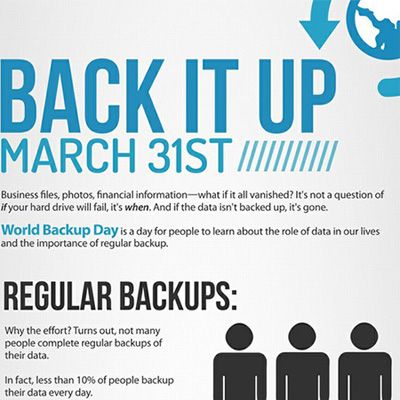
March 31st is World Backup Day! Just as important as having a plan in place to backup your data is having a way to recover your files. Do you have a way to restore files that get lost, corrupted, or accidentally deleted? To highlight this need, we want to explain how a deleted file can actually be recovered.
Data backup, regardless of its form, is a critical component of any modern IT infrastructure. If you’re not using data backup or disaster recovery, your business could be risking crippling data loss. Even if your infrastructure is protected from typical threats like viruses and malware, these security solutions aren’t going to prevent a devastating hardware failure.
As more data systems develop the need for structured data storage, the development of fast and secure solutions have become essential to the viability of storing and retrieving data. Scientists have been looking at the field of optoelectronics to develop constructs where an enormous amount of data can be stored for exorbitant amounts of time.
The incorporation of mobile devices into day-to-day life has changed the culture significantly. In fact, when Apple introduced “iPhone” less than a decade ago, Steve Jobs famously said, “It’s like your life in your pocket.” Now, over eight years on from the launch of the first iPhone, it’s hard to remember what life was like before you had a full-function information system in the palm of your hand. We’ve come to rely heavily on these devices, driving mobile profits up and creating a market that didn’t have any substance only a short time ago.
Computers can feel one dimensional, requiring the user to read and type. Humans don’t naturally interact like this. We communicate best with our voices and our ears. One day, our PCs will have artificial intelligence and we will be able to communicate with them as if we were talking to a person. Until this technology becomes mainstream, these two audio features will have to make do.
Unless you have been vigilant about covering your digital tracks, you’ve likely got your personal information floating all over cyberspace and it’s being used for who knows what. Most of this personal data is used for marketing purposes, but hackers like to get in on the data-collecting action too. Being aware of how your personal data is collected is the first step towards getting a handle on it.
You can’t have IT without information, you can’t have information without data, and technology is what creates data so that you can better use your company’s technology to increase sales. Got it? Understanding the flow of data can be confusing. It’s important to have a handle on it so you can leverage your data for the success of your business.
It's been said that a company's data is its most important resource. If this is true, then is it possible to assign a monetary value to your files? If you attempted to do so, you may come to the conclusion that your company's data is more valuable than anything else in your business, maybe even your own job!
It's good to backup your data, but can you have too much of a good thing? While this may be the case for several enjoyable activities like partying and buffets, this isn't the case with data backup. In fact, the more layers of data backup you have, the more secure you will be. How good is your data backup solution?
With the holiday shopping season winding down, it's the busiest time of the for data collecting companies that compile information on the purchases you make. Are you aware of the extent that your purchases are being tracked? Knowing about data collection may make you want to buy all of your presents with cash.
Big changes are happening in the world of technology, and it's important that your business stays on top of these changes in order to stay competitive. By taking advantage of the latest trends, you will be provided with solutions designed to maximize profits. Here are five of the latest trends you need to watch for in 2014.
At a recent security event, VP of Gartner Neil MacDonald broke down the fundamentals of IT security into four categories, "Information security was never about device lockdown, or dictating applications, or building firewalls. It was always about protecting the confidentiality, the integrity, the authenticity, the availability of information." Here's a closer look at these four security qualities.
As your company grows and enters into more competitive markets, your ability to access reliable and accurate data is of the utmost importance. Ginni Rometty; CEO, president, and chair of IBM, shared her insight on data management in her speech on October 2nd at the IBM InterConnect 2013 event. Here are three benefits of successful data management according to Rometty.
The modern IT landscape is dramatically changing from a model where an IT department controls everything, to companies outsourcing their IT services. This paradigm shift challenges older ideas about traditional network security equating ownership and control with strong security. Does your business view IT outsourcing as a security help or a hindrance?
For those of us that have been able to witness the current technological revolution, we can say mankind has progressed at an exceptional rate. Remember spending hours on your TRS-80 writing code to play the simplest of games? At that point, if you didn't have the floppy disk drive, once you turned it off you had to spend all that time to rewrite the code. This period has taken us from bulky PCs (albeit still marvelous at the time) to devices with hundreds of times the computing power that fit in the palm of our hands.
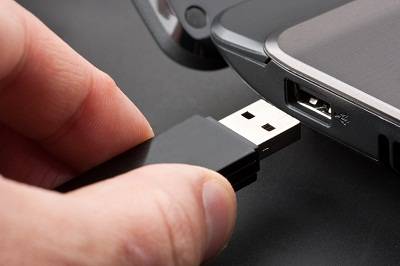
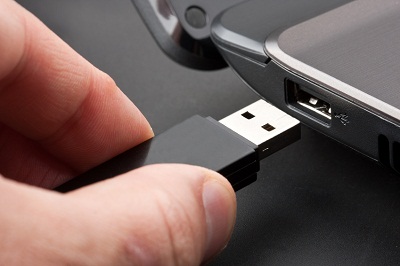
At the end of the workday you may be in a hurry to leave, and as you start tossing your belongings into your bag, you come across your USB drive plugged into your PC. You're now faced with a tough decision; do you take the time to safely remove the device, or do you save 30 seconds and just unplug it?
As smartphone ownership continues to rise (175 million cellphones sold last year in the US), so too does smartphone theft. Take San Francisco, CA as an example, half of all robberies reported last year were phone-related. To help curb this trend, crime fighting agencies are seeking help from phone manufacturers in developing a smartphone kill switch.
Don't be an April Fool. Data backup is extremely important for businesses. If your data isn't backed up, or your backup solution isn't properly tested and maintained, your data could be at risk. That's why March 31st is World Backup Day! Check out and share the infographic and ask yourself, what would you do if you lost everything?
Have you ever closed an application and accidently hit 'Don't Save'? Poof. In one forgetful moment all of your progress is gone and your stomach turns into a giant knot. Before you go out and do something crazy, like forsake technology and modern civilization, you will first want to see if Windows was nice and automatically saved you a copy.
Step back from your monitor for a moment and take a look at your business. Customers from all over the Upstate New York area and beyond are being helped. You have an inbox full of email from countless prospects and clients, and your activity on the world wide web is literally connecting you around the world. This complex coordination of of resources and people in front of you is called logistics.
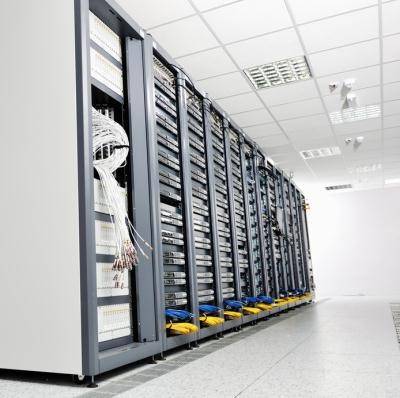
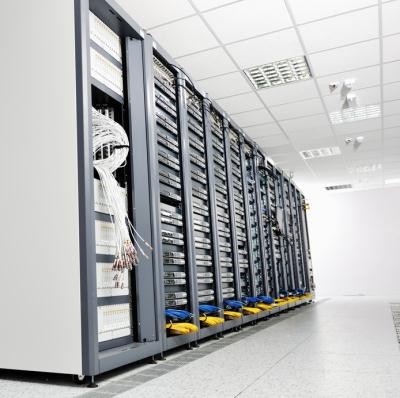
Have you ever stopped and wondered where the internet is housed? Maybe all the websites are on a skyscraper-sized router? Maybe the internet all fits inside your computer? Most of the information is actually stored in data center facilities all over the world, and the sheer size and complexity of these centers will boggle your mind.
The expression on Drew's face is a perfect picture of what data loss looks like. There is nothing more frustrating than spending an entire day on a project, only to have it all disappear with a system error. Drew's mistake was that he was saving all of his work directly on his laptop. Not only is his work susceptible to a hard drive failure and the computer crashing, but his laptop is also at risk of being stolen along with all of his personal data.
When budgeting, most businesses will look at ways to save by spending less on products and services, like downgrading to storebrand cola. These cuts are never popular and have been known to insight office mutinies, "Dr. Thunder, are you kidding me?" Before you deprive employees of premium products, first take a look inside your server, it may be full of savings!
Ever since the first microfilm machine was rolled off the line 100 years ago, mankind has been striving to achieve the paperless office. If you are too young to remember using microfilm, think of an arcade cabinet, except, instead of Mortal Kombat, documents battle it out over a projected screen. Thankfully, we have come a long way in 100 years.
If Back to the Future's Marty McFly time traveled to the modern office, he would probably feel a little disoriented. He would see employees squinting at little televisions, mobile devices right out of Star Trek, and no rows of file cabinets. Then Marty would notice a fax machine and feel right at home, because fax machines have been around forever.
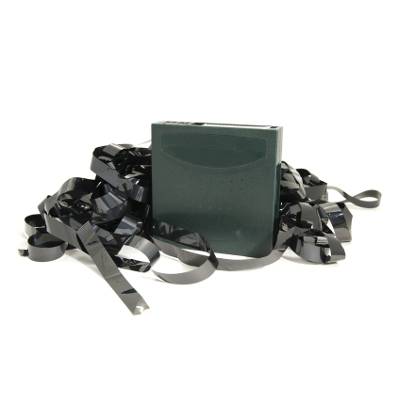
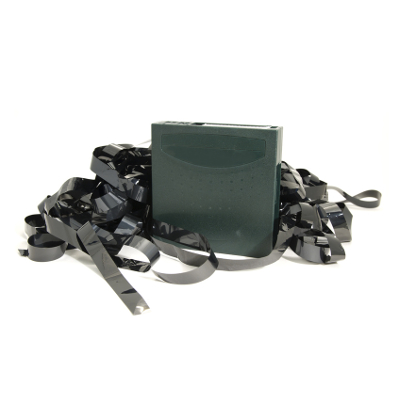
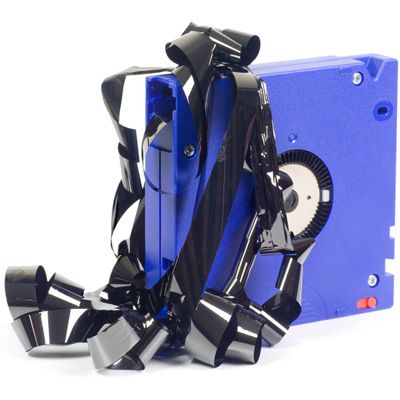
It's evident having a solid backup solution for your business data is not just important, but crucial in order to ensure the survival of your company in the event of a disaster. One backup solution involves using a magnetic tape medium to store data. Unfortunately, tape brings some inconveniences that make other solutions more appealing.
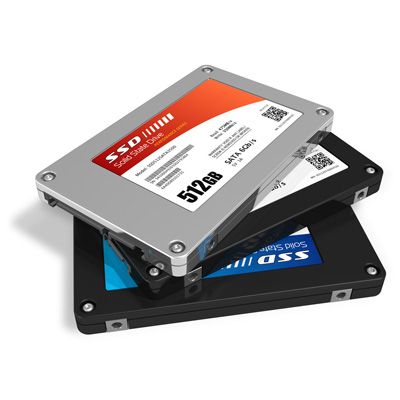
Companies such as Facebook, Google and Amazon are switching to Solid State Drives (or SSDs for short) in a push for greater performance with reduced operating and hardware costs. Reduced hardware costs? Yes, while Solid State Drives are more expensive than traditional hard drives, they afford certain advantages over the legacy storage hardware.
There comes a time when you are looking at a new laptop and you are asked the question: Do you want a Solid State Drive, or a traditional Hard Disk Drive? Well here is a quick run-down of both technologies in the hopes of shedding some light on the issue. By the time you are done reading this article, you will be better able to answer that question.
Nobody likes thinking or talking about this (except maybe if you are in the insurance business), but businesses are fragile entities. Enough hardship and loss will greatly weaken the foundation that keeps the business running smoothly. What if your business suffered from a fire, devastating flood, or even a misfortunate bolt of lightning that destroys your server? Would you be able to pick up the pieces and start over?
We deal with digital data each and every day, and most of the time it goes unrecognized. Here's a few neat facts to help shed some perspective into our digital lifestyles.
If your company has employed a backup solution, what process do you go through to ensure it is doing its job? Backup systems need to be tested regularly to ensure all the proper files are being backed up, and to check data integrity.
If you've been using computers for a while, then there has probably been at least one point in your life that you've lost data. Maybe it was something you were working on when your computer crashed, or maybe a disk failure wiped out some data. Does this bring back memories of frustration and angst?
Is staying in business important to your company?
We don't want to be sensationalistic here, but there is a serious real-world link between data loss and staying in business. Let's look at some statistics.
Hard drives have been getting bigger (capacity-wise) and cheaper over the past decade which is great news for everyone. Toshiba predicts that in 2012 that over 2 zettabytes (2 trillion gigabytes!) of data will be created and replicated (double from 2010). While costs are going down, data growth is still a challenge for data centers and IT administrators.
It's always important to be prepared for emergencies, and for a small business these days even a minor disaster can have long term ramifications with serious consequences. Whether the disaster is short lived, like a power outage or hardware failure in your server, or a more serious event like a flood or fire, you want to be able to get back in business as quickly as possible Here are some steps Upstate New York businesses should take to prepare and add to their disaster plans.
Take a look, a good hard look, at your employees. They are working diligently, right? You've staffed the company with some quality A-players and everyone has taken responsibility for their work. You see good communication, organization, and dare we say motivation emanating from each member of your well-armed team. Or maybe you don't and the company is working on improving that - we understand. We also understand that while an employee might be a rockstar at their job, they could still pose a risk to IT.
Everyone here at Directive would like to wish our clients a happy and safe Halloween! We'd like to share a couple computer and tech support horror stories to set today's spooky mood! Get out your flashlights and gather around the campfire for these chilling tales that could happen to any small business.
In today's IT industry, downtime can have a huge impact on your company's bottom line. When system downtime occurs, whether it affects an individual employee or the entire company, it means lost money. The definition of the term "downtime" is very ambiguous, although at Directive we consider any issue where an employee can't do their job properly due to technology not being available to be downtime. Even though an application may be up and running, it is essentially "down" to a user if the application can't be used no matter the reason.
2011 has been a busy year for security experts worldwide. Major corporations have been reporting harmful attacks by hackers. So far, technology news site CNET has reported over 80 known major hacks since March that have been publicized. The publication of these hacks is inevitable, especially when user-data, contact information, and credit card information is at risk, and that publication can easily cause a PR disaster which can take loads of time and money to rectify (and in some cases, just can't be rectified). The big questions are who is at risk, are Upstate New York small businesses at risk, and what kinds of IT solutions need to be deployed to prevent data-theft and other intrusions.
It's the start of the 2011 hurricane season, and with Hurricane Irene making contact with Atlantic coastlines this week, it certainly doesn't hurt to make sure your business is prepared for a disaster. Even if you are lucky enough to not be affected by these devastating storms, there are plenty of opportunities for nature to cause havoc on our way of life. It's never to late to put together a Disaster Recovery Plan (alternatively known as a Business Continuity Plan) in case a natural (or otherwise) disaster were to occur for you. Nobody wants to think a disaster might happen, but it isn't impossible. Here are a few steps small businesses can take to become better prepared.
If you use email, you've probably seen spam. If you think we're talking about a canned meat product, and are wondering how it relates to email, then we envy you. For everyone else, saying your inbox probably has a little spam is a dramatic understatement. Spam comes in several different flavors; ranging to inappropriate solicitations to unwanted gibberish to carefully coordinated scams. We're going to go over one of these tricky spoofs that is known to fool users.
RAID, you hear it everywhere. From the techs in the server room talking about it to computer manufacturers asking if you want a RAID formation for your computer's hard drive. Not all RAID configurations are considered equal. Here's an explanation of RAID formats in plain English.
At the beginning of the month, Microsoft officially launched Office 365. What makes this Office different from the other Office suites that Microsoft has released is that Office 365 doesn't run on your computer, it runs on a cloud server. All of your data is stored securely in the cloud on Microsoft's servers. This is great for smaller Oneonta businesses that need to access their files from anywhere but don't currently have the infrastructure in-house to make it happen.
You've probably heard of cloud technology. All the big names in the technology industry are talking about it; but for a lot of people, it's still just a buzz word. Microsoft has been pushing the idea of a cloud for a while, with a couple sitting at an airport waiting for a layover, with the end result being that the cloud ceases their boredom by letting them stream movies from home. What exactly is the cloud and why does it matter for businesses?
At many businesses, if you look in the waste bin or the recycle bin, you'll probably find a lot of paper. Paper is one of the most common waste products at businesses and as such is also one of the biggest sustainability opportunities for businesses large and small. The environmental benefits are great, but going paperless has some huge benefits for small businesses beyond being green.
When can a single dust particle lead to thousands of dollars worth of damage (or more)?
The answer is when your data isn't backed up. Today we're going to talk about just how fragile your data's very existence can be.
As you may know, Sony's online gaming service, the Playstation Network, has been getting a lot of media coverage lately due to a major attack by hackers last month. Sony is a massive global company with billions of dollars and stockholders and spans multiple industries, but even a giant can teach us all a lesson that relates to our comparably small-fry organizations.
If you haven't heard of Dropbox, you are in for a real treat, especially if you like making it extremely easy to access certain files. Dropbox is a service that provides secure file hosting and synchronization between multiple computers and devices so you can quickly access the data you need most no matter where you are, and when you get back to your main workstation, the updated version of the file will be there waiting. Did I mention Dropbox has a free version? Hit the jump to learn why we love this service.
We can never stress enough to our clients how important their data is. There are plenty of ways data can become lost, but the one scenario that nobody ever likes to talk about is internal data theft. That's right; businesses can suffer from their own employees stealing data. Now, this doesn't mean that all or any part of your staff is plotting to expose company secrets or distribute your leads to competitors, but a few precautions can be taken to just ensure that it never happens.
I'm sure nobody has missed out on any of the storms happening here in New York. Even our lights have been flickering. Mother nature can be cruel to your IT; a well-placed bolt of lightning can do plenty of damage. Of course, we always recommend quality UPS systems to our clients to protect their most valuable tech, and good surge protectors for everything else (not power strips, mind you, they aren't the same). Regardless, whether there's a risk of the power going out or not, it's important to save often and keep your files backed up. Here's a few tips after the jump.
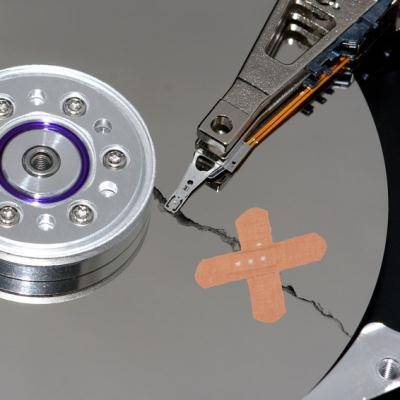
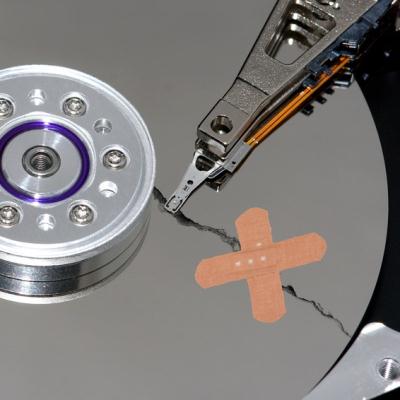
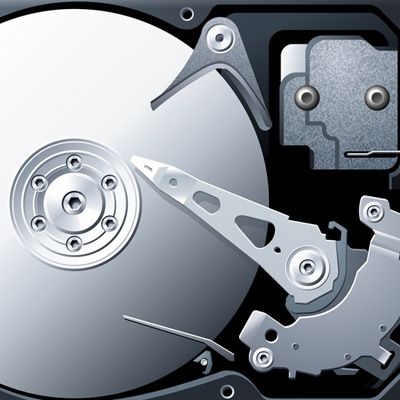
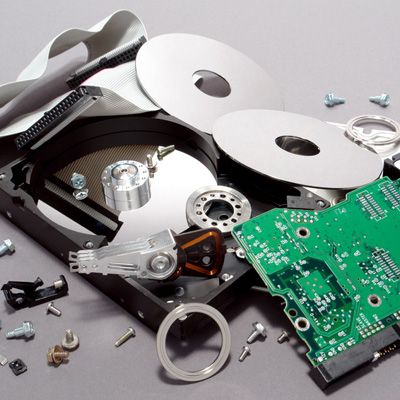
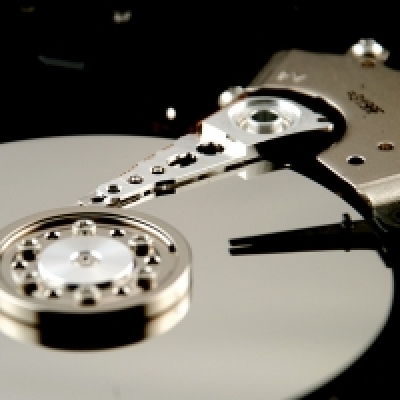
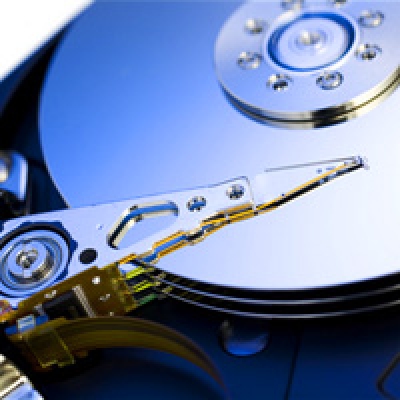
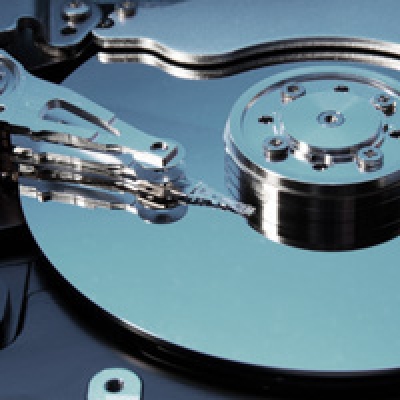
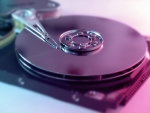
We’re not trying to be negative here. We're not trying to scare you and make you run out and buy a backup device (We’ll save those horror stories for another time). Today we’re going to talk about why hard drives fail. It doesn’t matter what manufacturer your drive comes from, what connection interface it has, who you bought your computer from, and believe it or not, it has nothing to do with the day your warranty runs out (no sir, that’s just a Murphy’s Law coincidence). All hard drives are built in pretty much the same fashion.