Have you ever been working on writing a blog article or trying your hand at a formal proposal letter and wondered if your writing was appropriate for your audience? You’re not alone. The readability of a document is such a concern for people that Microsoft Word added a feature that will automatically calculate a document’s readability using the Flesch Reading Ease formula and tells approximate reading level using the famous Flesch-Kincaid Grade Level scale.
Tech Minutes
As one would expect, a business will run a lot more smoothly when its employees have the resources to work cohesively toward a common goal. This is why collaborative solutions are becoming a staple in many office environments. Today, we’ll examine how one of these solutions, Microsoft Office 365, can help a workforce to achieve its goals.
Microsoft Word is more or less synonymous with word processing, but with the right tricks, you can do so much more. For this week’s tip, we’ll go over four neat and useful capabilities that Microsoft Word has.
Microsoft Excel is more or less synonymous with spreadsheet creation. However, even power users may not know all the tricks that are hidden in the program that can help them save significant time. For this week’s tip, we’ll go over some Excel shortcuts that you may not have known about.
Microsoft Office 365 offers many different solutions that allow your employees to be able to do their jobs, keep everything organized, and communicate efficiently. Although, it can be tricky to select a good Office 365 plan for your business. To help streamline operations, the Microsoft Office 365 Business Premium edition offers a versatile selection that can meet any needs your business may encounter.
Just months after releasing their newest operating system, Windows 10, Microsoft is now updating the world’s most popular productivity software. Office 2016 makes several improvements over the Office 2013 versions of Word, Excel, PowerPoint, and the other applications that businesses from all over the world rely on to stay productive. The software, which focuses on making productivity and cooperation possible, has gotten a substantial upgrade in collaborative features.
Hackers are growing bolder by the day, taking on huge organizations like the IRS and Sony Entertainment, and forcing businesses to stay on the defensive at all times. In spite of this, what can the average small business do to keep themselves safe? For starters, you can integrate multi-factor authentication, a solution designed to make it extra difficult for hackers to access online accounts.
Let’s face it; sometimes you need a bird’s eye view of your Microsoft Word document that a single page can’t provide you with. Wouldn’t it be nice if you could view multiple pages and take everything into perspective? Well, as it turns out, you can. In fact, you can view up to eight pages at once by following this simple procedure.
Sometimes the reason for not taking advantage of more complex features in programs is that they take multiple steps to complete. For those deterred from these features or functions, Microsoft Outlook has a Quick Steps feature that takes the pain out of multiple-step processes and reduces it to the click of a button.
We all know Microsoft PowerPoint as a great presentation tool which can help you drive information home to the audience. Naturally, this makes it a great medium for use in more than one type of professional environment. It can be used for webinars, lectures, and even the courtrooms; but is a legal trial really a place for a slideshow?
Does your office practice proper maintenance and security against the latest threats, like Sandworm and CryptoWall 2.0? You should, or else your business might get a nasty holiday gift in the form of the Schannel vulnerability in Microsoft Office. This particular threat allows a hacker to take over the entire system, making it an exceptionally dangerous vulnerability that you can’t ignore. Thankfully, a patch is available to the general public, so you want to apply it as soon as possible.
If your business were to lose important files due to an unexpected Microsoft Office crash or hardware failure, what would you do? Losing files can be difficult to recover from, especially if you aren’t using a cloud service which saves automatically after every edit. Lost files don’t benefit anyone, and if they are important, it could even put your business at risk. But don’t worry; there’s a way to recover lost Office files if things turn sour.
Most people think of Microsoft Word as a normal word processor, and to an extent, that's exactly what it is. But did you know that Word 2013 has a built-in citation mechanism for your research needs? Say you are writing a white paper for marketing use, and you took specific statistics from a website. You want to make sure you cite these facts. Why? Because if you cite them, it makes your business look professional, and it looks good when you know how to credit someone else's work.
Just because you hit the delete button when using Microsoft Word doesn't necessarily mean that your information is gone forever. Thanks to Word's Track Changes feature, all of your deleted sentences can be easily retrieved. This is a very handy tool to help you out of a jam, but it can also be misused to leak secrets if you're not careful.
Microsoft's Note-taking application is something of an enigma. Most of the time, Microsoft Office users have OneNote installed and don't even realize it or use it. This handly little secret has some pretty powerful features. Here are three tips that will change the way you take phone calls and write notes on your PC.
Remember back in elementary school when you memorized lists of words and studied hard to become the top speller in your class? Thanks to spellchecking technology from word processing applications like Microsoft Word, memorizing spelling words is about as worthless as cursive handwriting. Here's how you can use Word's spellchecker more efficiently.
It looks like you're trying to read a blog letter. Would you like help with that? If Microsoft's animated Office assistant Clippy were here, he would undoubtedly be on the corner of the page distracting you from getting anything done. The last time we saw Clippy was in 2003. What has Clippy been up these past ten years?
Collaborating with a team to complete a project helps everything go smoothly. Although, poor communication and mistakes can actually make the project drag on. Passing on a Microsoft Excel workbook from one employee to another is an example where communicating all the details can help. Here are three important steps to take when inheriting an Excel workbook
Have you ever got stuck having to fill out a paper document, only to butcher it with your handwriting? Paper forms filled out with sloppy handwriting are unprofessional and may even miscommunicate an important detail. To help your paper forms look professional, Microsoft Word allows you to scan the doc and then enter text; we'll show you how!
For as long as Microsoft Word has been around, it has been the preferred word processing application from people serious about writing. This is because Word is so much more than a typing app; Word is full of rich features that help writers be better at their craft. One helpful writing feature of Word is the Thesaurus, here's how to use it.
Have you ever closed an application and accidently hit 'Don't Save'? Poof. In one forgetful moment all of your progress is gone and your stomach turns into a giant knot. Before you go out and do something crazy, like forsake technology and modern civilization, you will first want to see if Windows was nice and automatically saved you a copy.
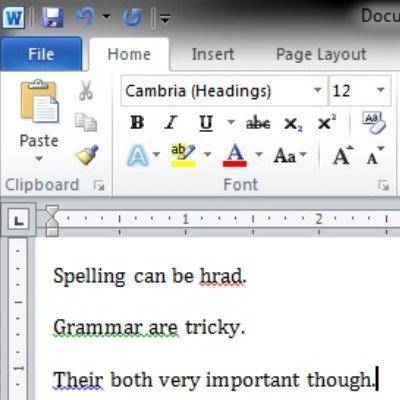
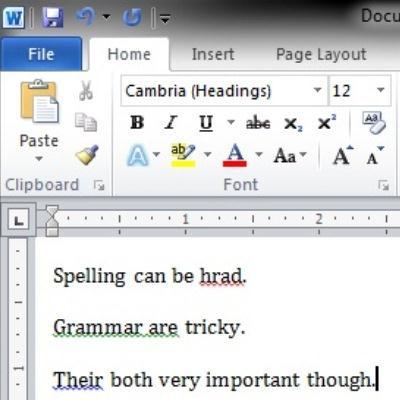
Unless you are an English major, writing a well thought-out message without any spelling or grammatical errors can be a challenging task. There is not yet a technology that will transform a couple of bullet points into a detailed thesis paper, but Microsoft Word does include helpful tools that will improve the spelling and grammar for any aspiring writer.