
Windows 10 has seen a slow growth in its market share since it first appeared in July 2015, still rising throughout 2020 to now. As of this October, the operating system had finally reached a 72.2 percent market share. Let’s discuss why this benchmark matters, and why you need to update any devices in your organization to bring that share up even more.
Tech Minutes
Chatbots have been around for quite some time, and artificial intelligence is shaping the way that they are utilized for the modern business. Virtual assistants have risen in popularity, and they are featured on most smartphones out there. How can these “bots” help your organization?
For the modern business owner or executive, making smart business decisions has become a necessity. Margins are small, efficiency is key, and if we were to be completely honest, business is a day-in and day-out grind. In the course of doing business much is made of cost reduction and curtailing inefficiencies that lead to wasted capital. Much is made of collaborative systems that allow for remote access. Much is made of protocol, process, and performance. With so many moving parts in every business, there has to be the “glue” that allows for cohesive actions to be taken. That “glue” is software.
Google Drive provides its users with a considerable amount of utility. However, when combined with extensions made for Google’s Chrome browser, users have the tools to make their use of Drive’s capabilities even more efficient. For this week’s tip, we’ll go over a few Chrome extensions that your business might find useful.
Using pirated software or abusing your software licenses for your business is heavily frowned upon. However, many software companies, in an attempt to protect their products, have unleashed a practice that can actually reward those who let it happen in the first place.
Businesses today rely on so much technology that it’s impossible to think about operations without considering how technology can make them more efficient. In fact, many organizations would completely collapse without the innovations brought about as a result of technology development. One of the hottest trends over the past few years has been the shift from in-house assets to web-based assets, ranging from application access to infrastructure hosting.
Telephone solutions have long been a major pain point for businesses. Smaller organizations attempt to get the most bang for their buck, especially for something as important as communications, but it’s not always so simple. How can you get the greatest return on investment from your business’ telephone solution? You can start by implementing Voice over Internet Protocol.
Most businesses rely on software solutions in order to stay productive throughout the work day. Whether it’s a word processor, a spreadsheet builder, or simple data storage in the cloud, software is deeply ingrained in the modern business world. Shouldn’t your organization be taking advantage of it to its full extent? You can start by implementing Software as a Service.
If you author a long document, having a table of contents can help your readers get the information they need fast. Here is how to insert a table of contents into a Google Doc.
Does your business use Google’s line of Android devices for business purposes? Well, you might be happy to hear about Google’s new zero-touch solution for enterprises for their Pixel line of smartphones. If you provide smartphones for your business’ employees, you know how much of a hassle it is to set up these devices. This new zero-touch policy attempts to make a change to this.
Let’s say that you have an employee who wants to do some good for your business and save your IT some cash on a piece of business software. They find a “free” version of it on the Internet, thinking they have found you a bargain deal. Little do you know that there is an agency out there that’s specifically looking for businesses like yours that don’t keep track of their software licensing, just to make a quick buck off of copyright infringement.
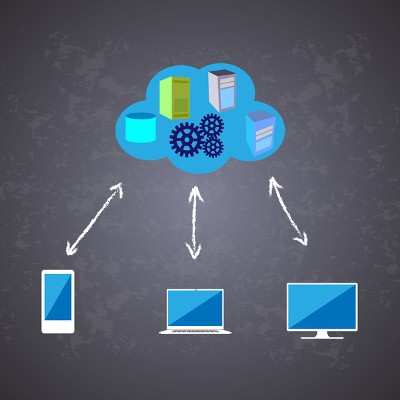
Small and medium-sized businesses have increasingly turned to SaaS, or Software as a Service, to access the tools and resources they need to complete their objectives. Rather than maintaining a solution in-house, SaaS is delivered as a web application or through the cloud. However, not all SaaS solutions deliver the same functionality.
If you hadn’t yet noticed, there’s been a change made to the Google search engine that will influence how search results are presented to users. Google’s ‘Instant’ feature, introduced in 2010, is no more.
Security best practices demand that a workstation should never be left unlocked. However, it can be really tempting to leave it unlocked if you only plan on stepping away for a moment--but unfortunately, that moment can easily turn into many if you are distracted from your task. Fortunately, there is now a fix that relies on the one device most of us are never without: our phones.
All businesses have certain software solutions that they need to keep their operations going. Be it an email solution or a productivity suite that you lack, your business is held back from ideal operational efficiency. The traditional way of acquiring these pieces of software can be holding your organization back, so we’ve come to you with a solution: Software as a Service (SaaS).
Over the past several months, while watching the news or reading about business and technology, you’ve probably encountered a few words, such as ‘ransomware’ ‘exploit weakness’, and ‘security patch’. These terms are used often, and you may be confused as to what they really mean, and how they relate to you and the security of your business’ data.
It goes without saying that businesses that don’t want to invest in the latest and greatest software solutions will be denying themselves the opportunity for more productivity and efficiency, but most of all, security will be put on the line. A new study has proven that there is a direct correlation between businesses that run older versions of out-of-date operating systems and web browsers, and organizations that suffer from data breaches.
Microsoft has resolved what a security researcher tweeted was “the worst Windows remote code exec” in his memory. This vulnerability allowed a targeted file to implement remote code execution processes, manipulating the infected system and spreading the infection to other machines. In other word, it’s a bad problem to have. The scariest part: the attack would be triggered if a particular file were to be scanned by the Microsoft Malware Protection Engine.
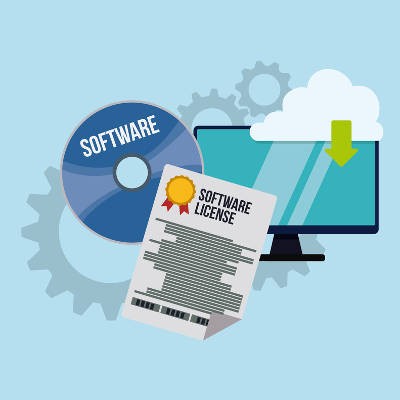
Whenever you install software on your computer, you agree to certain terms put in place by the developer or vendor. Even free software, such as Google Chrome and Firefox, have terms that the end-user opts into during installation. One of the most important terms business owners need to be aware of are those that pertain to software licenses; if you aren’t, someone else will be.
It’s difficult to know what you can and can’t trust in the realm of cybersecurity. However, you’re likely to trust your own security solution. Yet, even this could be a devastating oversight, as some malware masquerades as your security software.
Managing your company’s email can be a complex endeavor, due to the sheer volume of messages being sent and received, as well as the need to have a way to prioritize which messages are important. It’s safe to say that all organizations can benefit from email management solutions, such as email archiving and spam protection, and multi-factor authentication.
Throughout human history, cartography served as an exciting and specialized field for knowledgeable scribes. Today, the entire planet has been mapped and apps like Google Maps allow any Joe Schmo with a smartphone to have the world at their fingertips. Consequently, you can effectively be a cartographer of sorts, just by knowing how to best use Google Maps.
Businesses have focused on efficient utility software deployment for the better part of 30 years. Today, developers are increasingly offering software titles “as-a-service”, which gives users access to these powerful tools, via the cloud, for a consistent monthly payment. Distributing solutions through cloud technologies, be they a private cloud server or a reputable public cloud provider’s platform, can give your business considerable benefits.
You don’t need us to tell you that Microsoft has an extensive library of software products aimed at all kinds of businesses. But, of course, nothing good can last forever, and old solutions eventually give way to more versatile or efficient versions. When this happens, Microsoft stops supporting older software in order to provide better features and experiences to users of more recent versions.
By design, Microsoft’s operating systems aren’t built to last forever. Due to the fact that technology is always changing, new operating systems with better security and improved capabilities are routinely needed. Microsoft gets users to transition from an older OS to a newer one by ending support for the older one. This begs the question, how long until Microsoft pulls the plug on your OS?
Computer monitors have become streamlined in appearance and design over the years. One of the biggest improvements was the addition of the LCD screen, which in comparison to the old CRT monitors is more pleasing to the eye. However, its brightness means that there are side effects that can lead to eye strain and headaches. You can lower your screen brightness to preserve both your eyesight and your sanity, in addition to saving precious battery life.
Implementing proper IT solutions is challenging for the average SMB, and it’s difficult without the aid of a proper IT department. Organizations that can’t afford a full in-house IT department sometimes resort to less savory methods of managing their technology, which can be dangerous for business continuity, data storage compliance, and security.
If there’s one thing that our extremely technical society has evolved into, it’s one where technology is always striving to improve itself. This is especially important for businesses that are looking to maximize the return on investment they get from their hardware and software. Do you know where your organization concentrates its resources for tech upgrades?
You and your staff require certain software applications to get work done, whether it be your line of business app, your accounting software, or even Microsoft Office. This brings up a crucial question: do you know where all pieces of software you require came from, and are your licenses valid and up to date?
Have you ever tried describing a PC issue on the phone to tech support, and you get nowhere because you’re having such a difficult time describing the problem? To be sure, this is a frustrating experience. By taking a screenshot, you can send an image of the exact problem you’re experiencing, which will really help clear things up.
Taking a screenshot is as easy as using the right keystrokes. Here’s how you do it.
Computers can feel one dimensional, requiring the user to read and type. Humans don’t naturally interact like this. We communicate best with our voices and our ears. One day, our PCs will have artificial intelligence and we will be able to communicate with them as if we were talking to a person. Until this technology becomes mainstream, these two audio features will have to make do.
Even the most innocent Internet user can fall victim to the stray hacking attack, and it’s all thanks to the manner in which malware reverse-engineers software. This process is how a hacker finds vulnerabilities in software. However, a new security concept might be able to protect software from the reverse-engineering method used by hackers.
You have a system in place to remind yourself of when to pay your bills. Otherwise, bills would go unpaid, essential services would be cut off, and your credit rating would plunge. However, not everyone has a system in place to renew their software licenses, which could lead to consequences that are just as dire.
Sometimes, when complex systems are put into place, the simplest and most fundamental tasks seem to be neglected. Updating your business' software should not be avoided. Software updates help secure your network and provide your company with an extra competitive edge. Don't risk your company's strengths by neglecting your software updates!
Remember back in elementary school when you memorized lists of words and studied hard to become the top speller in your class? Thanks to spellchecking technology from word processing applications like Microsoft Word, memorizing spelling words is about as worthless as cursive handwriting. Here's how you can use Word's spellchecker more efficiently.
T
he freeze of winter is hard on everyone and everything, especially windows. Seeing that on Tuesday, 90% of the US was literally frozen due to what meteorologists are calling a "polar vortex," we thought this would be the perfect time to talk about how to prevent your Windows from freezing with managed IT services!
When considering network and computing infrastructure security for your business, you don't usually think about about alternative routes of delivery for these solutions; and especially don't consider that this technology is available without the traditional appliance. Now, comprehensive security solutions for your network, server, and end-user is available as a service, in the cloud.
We hope that this isn't the first time you've heard about Microsoft ending support for their popular Windows XP OS on April 8, 2014. Microsoft has been warning users of this "death date" for years, yet we still come across businesses and consumers that are just now getting the memo. You may have to help get the message out!
After you've finished with that incriminating file (you know which file we're talking about), you will drag and drop it into the Recycling Bin. You may think that just because you selected "Empty Recycling Bin" that the evidence is gone forever, but that's not exactly how the Recycling Bin works. You will need a more permanent solution to completely cover your tracks.
We are in a unique time of Windows OS transitions. The redesigned Windows 8 has been out for one year, and the first major update to it (Windows 8.1) was just released. Additionally, the popular Windows XP expires in April, forcing everybody to upgrade and choose between Windows 7 and 8. Which OS will your business go with?
With computers that have seen a lot of use, one of the biggest reasons a machine underperforms is because the hard drive is full of old files and programs. Instead of manually sifting through every file and deleting something you are unsure about, you can automate the process with the help of these three free apps!
There are currently over 900,000 mobile apps available for download. There are apps available for virtually any everyday function; entertainment, education, news, weather, health, and the list goes on. Your mobile device, armed with the right apps, can be your greatest productivity tools. Here are three essential mobile apps that can enhance your business productivity.
Microsoft PowerPoint 2013 Presenter View has new improvements designed to enhance your presentation. Presenter View is a helpful feature that allows the presenter to see a separate screen that's different from what the audience sees. The presenter's screen is used to display notes, previews, and other helpful tools. Here's how you can take full advantage of this PowerPoint feature.
How new are the windows in your home? Do you have problems when you're trying to open them, such as they don't stay up or simply won't budge? How about when you walk by them, do you feel a draft because their seals are shot? When this happens, what's the first thing you think? More than likely it's "I need to replace them ASAP". If you think this way when it comes to your home, then why not the same when it comes to your business?
Being able to see the future is something that most people, meaning not everyone, would love to do. It would either provide comfort, or cause panic based on the results of such an inquiry. While some claim being able to look around the curve of time and space is theoretically possible, this new software doesn't use that approach. There is a new software, known as Far Out, doesn't use this approach.
If you are a heavy user of the Internet, then your Downloads folder is likely bloated with pictures, music, files, and whatever else you have picked up along your online journey. You may cringe every time you open it because of how messy it is. To help you out, there is a free utility called DropIt that will automatically organize your Downloads folder.
One of the most controversial decisions from Microsoft was the removal of the Start button with the Windows 8 operating system. Many longtime Windows users refused to upgrade, while others cheered the more mobile friendly touch-based Metro interface. Where do you land on this hot issue? Are you a hardcore Start button enthusiast, or do you think the Metro interface is better?
You can do almost anything with a smartphone, except type a quick and accurate text message on a four inch screen. Even the best typist struggles with hitting the correct keys on a digital keyboard, and it doesn't help if you have a little extra mass on your fingers. A new app called Fleksy promises to cure the woes of smartphone typing.
When working on your PC, there's a lot more going on than what meets the eye. While working on a project, your operating system is simultaneously using resources to perform several tasks behind the scenes. When you pull the curtain on Windows 8, you may be surprised with all the activity that's going on.
Disclaimer: This tip is geared toward advanced users. Directive features a comprehensive IT support solution and help desk that can give novice and intermediate PC users direction.
Have you ever been a victim of the Blue Screen of Death and tried to reboot your computer only to find now Windows won't load? The cause could be a numerous amount of things from new hardware installed, software updates, or worst case scenario, a virus/trojan. Now how are you going to get your personal pictures, music and documents off of your computer? Here's a solution.
Much has been made of the cloud recently and you see more and more that companies of all sizes are beginning to utilize cloud computing services in some fashion. Whether it's simply the incorporation of web-based social networking interfaces as inexpensive (and seemingly valuable) marketing tools, or the complex hosting of your company's entire computing infrastructure, the cloud has several options that can work for your business. Below are three ways in which the cloud can present your organization reasonably valuable solutions.
It takes a big person to admit when they're wrong, and there's nothing bigger than Microsoft. Windows 8 hasn't sold like Microsoft anticipated, and users pin the blame solely on one little button, the Start button, or the lack thereof. With Windows Blue (officially previewing June 26), it's rumored that Microsoft is remorsefully bringing back the button.
The mouse may look like a helpful piece of technology, but be warned; it's actually a tool of destruction. If your mouse has been your sidekick for years of heavy computer usage, then your wrist might be in danger of carpal tunnel syndrome. Sometimes, it's nice to take a break from the mouse and use your keyboard to navigate Microsoft Office.
The expiration date for Google Reader is set for July 1, 2013. Google’s decision to axe the Reader was not because it was unpopular, but rather, it seems like Google wants to focus their energy into fewer products. This announcement leaves many Google faithful out in the cold, and Feedly has welcomed the Google huddled masses yearning to read free.

If you are working on a document that is several pages long, then you know the frustration of getting lost in a sea of text. Often overlooked by the casual user, Macros are great productivity tools that can be utilized for several handy tasks, including giving you the ability to bookmark your work areas in a Word document.
For as long as Microsoft Word has been around, it has been the preferred word processing application from people serious about writing. This is because Word is so much more than a typing app; Word is full of rich features that help writers be better at their craft. One helpful writing feature of Word is the Thesaurus, here's how to use it.
Are you enjoying the benefits of using multiple monitors? Once you have experienced the power of using more than two or more monitors, it is Diffficult to go back to using just one. As great as multiple monitors are, they can be distracting and consume extra power. Diff Displays is a new tech that takes care of both of these issues.
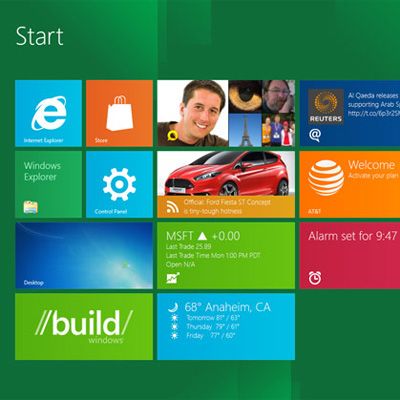
The new Windows 8 OS has received strong reviews on performance, and complaints in regards to the new interface. The main gripe is that the new tile layout is too different than the older versions of Windows, due in no small part to the lack of a start button. Leave it to third party software developers to build a solution.
At some point or another you will be asked to present information to a crowd of people. Whether you have to give a presentation about how you can best profit from a bake sale for your local PTA or you're presenting a sales pitch to potential investors, vendors, or clients; using advances in presentation technology and methodology to your advantage can help you make a strong first impression and more importantly, a lasting one. Below are some presentation services that can be used to enhance the content of your demonstration.
Taking screenshots of your desktop is infinitely useful (including when you get a strange error that you can't seem to repeat when IT is standing by).. Although the process of taking a screenshot has always felt a bit more cumbersome than it needs to be due to the additional steps of opening editing software, formatting the image, and saving the file. Lightshot is a solution that simplifies the entire screenshot process.
Does it feel like your new Windows 8 OS is missing something? It might be because Microsoft Office 365 is not out yet; it is scheduled to be released Q1 of 2013. The updated Office applications have been overhauled to flow with Windows 8, and we want highlight five of these new features found specifically in Excel 2013.
Do you have a plan in place for when your technology breaks or crashes? As wonderful as computers are, the hardware wears down, and software can become buggy and crash. Having a go-to plan in place for IT hiccups, will save you time and frustration from having to react to a problem and scramble to find a fix.
Like clockwork, the release of Windows 8 is accompanied by a new version of Microsoft Office. The new Office will not come out until Q1 of 2013, but many product details have already been revealed; and they are in keeping with the cleaner, sleeker design of Windows 8. Here is a look at a few new features for Word 2013.
Riding the hype wave from the launch of Windows 8 is the newest version of Microsoft Office. Scheduled for release during Q1 of 2013, Office 365 has significant upgrades and new features in line with the revamp of Windows 8. We will showcase a few of these improvements by looking at 5 new features for PowerPoint 2013.
Over the past two decades, the Portable Document Format (PDF), developed by Adobe Systems, has become the industry standard for clean and secure documents. There are many PDF-viewing applications available across the various app markets. However, you can't go wrong with Adobe's sleek-looking and versatile PDF reader, Adobe Reader X.
Microsoft is gearing up to roll out Windows 8 on October 26th and if the early tests are any indication, the computing giant's latest operating system (OS) could change the face of cross-platform integration. There's always some consternation among business owners when having to decide to outfit their computers with the newest OS so here are a few things you should know about Windows 8.
It's the information age. If you are always on the go, or you work as a member of a team, it helps if your work is accessible remotely. The ability to have relevant files on hand is nice and at times can be essential to the welfare of your business. Below are a few cloud-based options that could offer you or your company a solution for your remote file access needs.
QikPad is an online collaboration resource that enables users to produce, sustain and customize data in a collaborative atmosphere. Making use of author color codes, users can readily determine the root of modifications by identifying the particular color assigned to a specific employee. Best of all, the application is free and does not require any sort of sign up.
Android users may have some cause for concern. Considering its surging popularity, there is going to be a certain amount of rouge applications and other malware that targets the top iPhone OS. According to the popular anti-virus maker, Trend Micro, there are at least 20,000 applications that are malicious that target Google's Android OS. That is an increase of at least 400% since the beginning of 2012. By Christmas of this year, experts have given a conservative estimate that puts potential malware and rouge apps at around 150,000 different applications.
Last time we talked about ways to standardize your Microsoft Word documents so the look and feel remains consistent throughout the document and between multiple documents. Today we are going to look at a more advanced trick that will let you take predefined content and data and allow yourself to pick and choose when you use it in a document.
Do your documents look a little bland? Representing your brand is important whenever you do any corresponding, whether you are just using letter heads or creating custom documentation or project proposals. Microsoft Word makes it simple to standardize the look of your documents so your brand can shine through no matter what type of document you are creating.

Microsoft Office and Windows 7 provide many keyboard shortcuts that can improve your ability to multitask and get things accomplished quickly. Most of these shortcuts will work in previous versions, like Windows XP, Vista and the Microsoft Server Operating Systems as well. Give them a try, and the next time your tech comes by, be sure to show off your new skills.

At Directive, we always look forward to checking out new gadgets and software, and since Microsoft's Windows 8 operating system is so fresh and unique compared with previous iterations, we are interested to see how it will impact businesses.
PowerPoint has been, for a long time, the staple of presentation software. The last few incarnations of Microsoft PowerPoint (especially 2007 and 2010) have some great tools to spiffy up your presentations quickly and easily.
Last time we spoke about creating your contact list in Excel when performing a mail merge. Of course, you can also use your Outlook contacts, and if you are running any sort of CRM software it is pretty likely it exports its own spreadsheet that can be used in a mail merge. Let's go over how to perform a mail merge now that you have your list.
Recently we mentioned Evernote as a great note taking app that is supported across multiple operating systems and mobile devices. We compared it to Microsoft OneNote as a lighter alternative that is easy to set up and sync across a plethora of devices. However, diehard fans of OneNote probably don't want to make a switch to a whole other platform. Today we're going to talk about ways to mobilize your OneNote notebooks as well as some other features that are exclusive to OneNote that you might not know about.
Are you the kind of person who takes meticulous notes? Do you carry around a pen and pad with you so you never forget a single line item from meetings, presentations, or your grocery list? Enter Evernote, a free application that gives you an easy-to-use note taking solution that syncs your notes across multiple devices.
Did you know? Microsoft reported in May that every one in 14 downloads from the Internet may now contain malware code. Keeping your business protected is extremely important. Fortunately there are plenty of tools out there that do most of the protecting for you, but these tools need to be managed and kept up to date.
Plenty of Upstate New York businesses use the Microsoft Office suite of productivity tools. From Office 2007 and on, Microsoft has made it extremely easy to dress up your documents and presentations. These tricks will typically work with most Office products, from Word to Power Point, even Outlook; although in some apps the options might be in different places. Today's tutorial will focus on Microsoft Word.
Software is expensive, especially business critical software. On top of that, as a small business expands, more software licenses need to be purchased for new employees. Organizations such as the Software & Information Industry Association and the Business Software Alliance are always looking for businesses that are guilty of stealing software, and businesses that get busted get hefty fines exponentially higher than the price of the software licenses.
At the beginning of the month, Microsoft officially launched Office 365. What makes this Office different from the other Office suites that Microsoft has released is that Office 365 doesn't run on your computer, it runs on a cloud server. All of your data is stored securely in the cloud on Microsoft's servers. This is great for smaller Oneonta businesses that need to access their files from anywhere but don't currently have the infrastructure in-house to make it happen.
The Internet giant Google is well know as being the primary search engine on the Internet and the definer of many web standards. The Big G isn't afraid to trek into new and exciting verticals. Google Wallet is one of those endeavors. Google states that Google Wallet has been designed for an open commerce ecosystem. Their goal is to eventually replace the cards that you keep in your wallet. Since Google wallet is a mobile application it can store as many cards as you want without having to carry multiple cards.
Has waiting on a signature ever brought a project to a halt? A major way to simplify the signing process and get those contacts and other documents signed and delivered faster is by utilizing e-signature technology.
Windows 8? Doesn't it feel like Windows 7 just came out? Windows 7 isn't being replaced anytime soon; the latest operating system by Microsoft hasn't even been out for two years, but that doesn't mean Microsoft isn't cooking up their next incarnation. Microsoft has always kept small businesses in mind as well as the residential consumer, so will Windows 8 stick with the same trend?
Have you ever been browsing the internet when out of nowhere your computer starts telling you that you are at risk or that you've downloaded a virus, and before you know it your screen is inundated with warnings and virus scanners? In most cases, this over-dramatic display is caused by a fake antivirus program. Today we're going to discuss how to prevent getting tricked by a fake antivirus attack.