888.546.4384|607.433.2200


livechat icon

Live Chat Support

Live Online Meeting

WEB DESIGN SERVICES

CREATE ACCOUNT

*

*

*

*

*

*

FORGOT YOUR PASSWORD?

*

Don’t wait any longer. Get started today!


Tech Minutes

Directive has been serving the Oneonta area since 1993, providing IT Support such as technical helpdesk support, computer support, and consulting to small and medium-sized businesses.

Windows 10’s Over 70% Market Share is Still Too Low

Windows 10’s Over 70% Market Share is Still Too Low

Windows 10 has seen a slow growth in its market share since it first appeared in July 2015, still rising throughout 2020 to now. As of this October, the operating system had finally reached a 72.2 percent market share. Let’s discuss why this benchmark matters, and why you need to update any devices in your organization to bring that share up even more.

0 Comments

Continue reading

Power Off, or Leave It On?

Power Off, or Leave It On?

At the end of the day, do you shut down your computer or do you put it into sleep mode? Depending on what you need from your device the next day, you might want to consider which option benefits you the most. Here are some of the pros and cons of both approaches so that you can pick which one best suits your situation.

0 Comments
Continue reading

Tech Term: Motherboard

Tech Term: Motherboard

A computer is made up of many parts, one of which is today’s Tech Term: the motherboard. We’ll discuss what the motherboard does for your computer and why it’s such an important part for its continued operation.

0 Comments
Continue reading

Tip of the Week: You Can Use Your Android Device As An External Hard Drive

Tip of the Week: You Can Use Your Android Device As An External Hard Drive

Does your business have trouble keeping data on the company network? This can be an issue if your employees use their mobile devices to do work while on the go. In order to keep this from becoming an issue, you should encourage your employees to not keep sensitive data on their mobile devices, and establish policies that give you control over your data and email on personal devices. That said, let’s show you how to get your data off of your Android device and back on your network where it belongs.

0 Comments
Continue reading

Businesses that Value Mobility Will Want to Adopt 2-in-1 Devices

Businesses that Value Mobility Will Want to Adopt 2-in-1 Devices

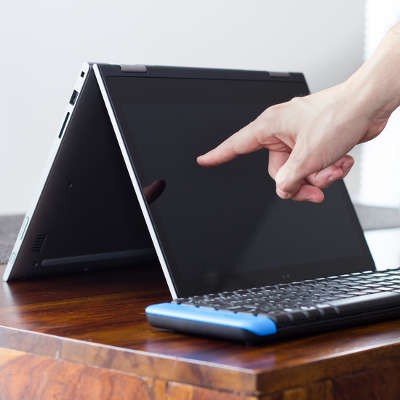
Businesses today rely heavily on software solutions to function, and so these solutions need to be on-hand whenever and wherever a business opportunity may arise. As a result, mobile solutions have risen in importance, despite the continued need for what a desktop has to offer. To meet both these requirements, we recommend a convertible ultrabook, also known as a 2-in-1 device.

0 Comments
Continue reading

Tip of the Week: Use this Free PC Tool to Find Out Which Files You Should Delete Next

Tip of the Week: Use this Free PC Tool to Find Out Which Files You Should Delete Next

Fact: your PC has a limited amount of storage space. When a user runs out of space or comes close to it, they need to come up with a solution. Without taking any action, performance will lag and saving data for future projects will be impossible. By using a helpful tool like WinDirStat, you can free up space by easily identifying and then taking action with your PC’s biggest files.

0 Comments
Continue reading

Signs Your PC is Done for and How to Properly Dispose of It

Signs Your PC is Done for and How to Properly Dispose of It

When it’s time to replace your technology, it might bring about a sense of panic. How can you replace your technology without breaking your budget, or worse, exposing data on your old technology to potentially threatening actors? Only one thing is for sure; you need to make sure that you have a solid strategy to adhere to when you need to replace your broken-down technology.

0 Comments
Continue reading

Tip of the Week: Optimize Your Computer By Taking Care of the Clutter

Tip of the Week: Optimize Your Computer By Taking Care of the Clutter

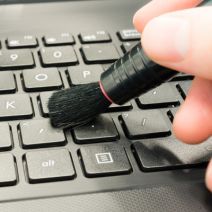
Do you remember the day that you purchased your current workstation? Maybe it was last week, last month, last year, or several years ago. At one point, it was pristine, untouched by the demands of the workday, but those days have long since passed. Over time, your computer collects all sorts of stuff on it, from unnecessary files to outdated, unused software.

0 Comments
Continue reading

As if Selecting Hardware Wasn’t Tricky Enough, Intel Went and Did This

As if Selecting Hardware Wasn’t Tricky Enough, Intel Went and Did This

Intel recently announced their next line of laptop processors, and with that single act, caused no small amount of frustration and confusion among the IT market. After claims that they were breaking from their traditional schedule of releasing a new processor each September and improving upon it later, Intel has gone ahead and released a new processor architecture instead of maintaining their Skylake processor from last year.

0 Comments
Continue reading

Tip of the Week: 1GB, 2GB, 4GB or More - How Much RAM Do You Actually Need?

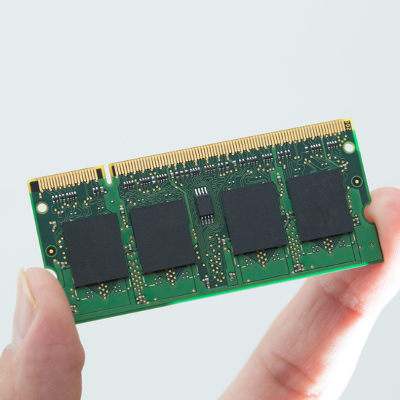
b2ap3_thumbnail_random_access_memory_400.jpgYou can tell when a workstation might need an upgrade if it’s slowing down, or if the machine is so absurdly slow that you can barely accomplish your daily tasks with it. One of the easiest ways you can improve the quality of your workstation is by increasing the amount of RAM.

0 Comments
Continue reading

3 Ways the Internet Makes Things Easier, But Not Necessarily Better

b2ap3_thumbnail_internet_is_changing_everything_400.jpgDo you remember the days where you didn’t have the the Internet? Remember going to the library to research information, or using a phone book to find contact information for an important contact? These are only a few ways that the Internet has changed society.

0 Comments
Continue reading

Tip of the Week: 5 Touchpad Troubleshooting Tips

b2ap3_thumbnail_laptop_touchpad_400.jpgLaptop touchpads can be difficult to work with. If you’ve ever been stuck in a frustrating situation where your touchpad isn’t working properly, you know what this feels like. In a worst-case scenario, touchpad problems can cause data loss and a loss of productivity, leading to downtime that directly affects your ability to work properly. If you’re having touchpad problems, try these five troubleshooting tips.

0 Comments
Continue reading

Tip of the Week: Follow These 4 Best Practices to Keep Your Computer Clean

b2ap3_thumbnail_clean_your_pc_400.jpgA computer is a complex machine that demands routine maintenance and intentional caretaking. If ignored, the machine’s lifespan will be cut short. Here are four best practices that will ensure you get the most out of your PC.

0 Comments
Continue reading

Tip of the Week: How to Clean Your Monitor, Keyboard, and the Inside of Your PC

b2ap3_thumbnail_clean_computer_tips_400.jpgA clean computer is a happy computer. Just like any other piece of gadgetry, a computer requires regular cleanup sessions that allow users to get the most from them. In fact, January is known as Clean Up Your Computer Month, so what better way is there to ring in the new year than making sure your computer is in tip-top shape?

0 Comments
Continue reading

Tip of the Week: On or Off, Which is Better For Your PC at the End of the Day?

b2ap3_thumbnail_on_or_off_400.jpgAfter a long, hard day at the office, you might be tempted to just log off of your workstation so you can get right back into it the next day. However, you also have the option to shut down the PC, which can be beneficial at times. So, what should you do; power down your desktop, or simply log off? Both have their own pros and cons, so it’s important that you’re informed of how you make this decision.

0 Comments
Continue reading

Tip of the Week: Save Precious Seconds With Your Mouse’s “Snap To” Feature

b2ap3_thumbnail_snap_to_location_400.jpgYour workstation might be designed to save time, but sometimes shaving off seconds doesn’t have to be complicated. A few seconds here and there can really make the difference when it comes time to wrap up a major project. Taking this aspect to a whole new level is the often-forgotten mouse feature, Snap To.

0 Comments
Continue reading

Tip of the Week: Don’t Underestimate How These 3 Mistakes Can Ruin Your Computer

b2ap3_thumbnail_pc_mistakes_400.jpgNothing can damage a computer quite like user error. It’s sad when this happens because it’s often the case that the resulting issues could’ve easily been prevented if the user simply knew of PC best practices. Take for example these three easily-preventable PC mistakes that will do your computer harm.

0 Comments
Continue reading

Reevaluate Your Network Switches Due to Increased Demand of Wireless Technology

b2ap3_thumbnail_business_network_switches_400.jpgYour computer network is only as strong as its weakest link. One of the most overlooked links is your network switch, and if your IT infrastructure is becoming more dependent upon wireless technology, then you’re going to want to perhaps upgrade your network switches.

Continue reading

Tip of the Week: 3 PC Best Practices You Need to Know

b2ap3_thumbnail_pc_practices_400.jpgSometimes the best thing you can do for yourself is return to the basics. For example, you can know all of the keyboard shortcuts in the world, but that doesn’t help you properly shut down your computer. Here are three tips for every computer user who wants to make sure that they’re using PC best practices.

0 Comments
Continue reading

Tip of the Week: Spot a Hacker By Investigating Their IP Address

b2ap3_thumbnail_ip_addresses_400.jpgHave you ever wondered how your PC is identified from the billions of devices out there in the world today? Just like every human being has specific physiological traits that make up who they are, your computer’s IP address is somewhat unique to your machine, and it can say a lot about you. Therefore, it’s important that you are able to identify your own IP address when you need to.

0 Comments
Continue reading

Tip of the Week: Use Screenshots to Better Communicate PC Problems

b2ap3_thumbnail_screenshots_400.jpgHave you ever tried describing a PC issue on the phone to tech support, and you get nowhere because you’re having such a difficult time describing the problem? To be sure, this is a frustrating experience. By taking a screenshot, you can send an image of the exact problem you’re experiencing, which will really help clear things up.

Taking a screenshot is as easy as using the right keystrokes. Here’s how you do it.

0 Comments
Continue reading

Tip of the Week: A Clever Way to Make Your Computer Talk to Itself

b2ap3_thumbnail_talking_computer_400.jpgComputers can feel one dimensional, requiring the user to read and type. Humans don’t naturally interact like this. We communicate best with our voices and our ears. One day, our PCs will have artificial intelligence and we will be able to communicate with them as if we were talking to a person. Until this technology becomes mainstream, these two audio features will have to make do.

0 Comments
Continue reading

Free Tool Connectify Turns Your PC Into a WiFi Hotspot [VIDEO]

b2ap3_thumbnail_pc_wifi_hot_spot_400.jpgWe’ve all had those moments where you desperately need a WiFi signal. Without one, how will you check your email? If you have a PC with a wireless card, you can take advantage of Connectify to turn your PC into a WiFi repeater, effectively extending your hotspot’s signal. With everyone looking to take advantage of wireless technology, a WiFi signal is necessary; so here’s how to make it a little better.

0 Comments
Continue reading

Tip of the Week: How to Check Your PC’s System Specifications

b2ap3_thumbnail_check_your_specs_400.jpgDo you know how much RAM is in your computer? How about its processors, or its graphics card? An inexperienced computer user might find it difficult to understand what exactly makes a computer tick. It doesn’t have to be difficult to find out all of these specifications. In fact, Microsoft makes it simple to find out all of the details about the computer you’re using.

0 Comments
Continue reading

Diagnosing CPU Issues

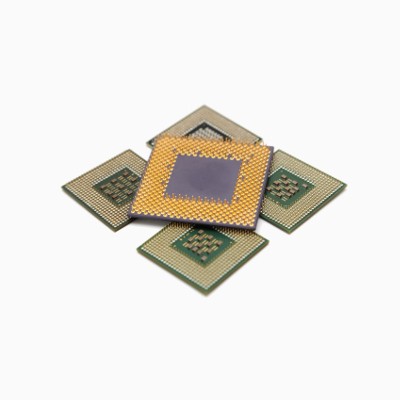
b2ap3_thumbnail_diagnose_cpu_issues_400.jpgYour PC's CPU (Central Processing Unit) is one of the many delecate components inside your computer. The CPU essentially does all of the thinking that your PC needs to do, processing instructions from your operating system and all of your programs. That might not seem like a big deal, but most CPUs today handle billions of processes every second. It doesn't store data (that's the hard drive) but if the CPU fails to work properly, you won't be getting much work done.

0 Comments
Continue reading

New Leadership at Microsoft can Change the Tech World

b2ap3_thumbnail_Satya_Nadella_CEO_400.jpgThe CEO baton at Microsoft has been passed from Steve Ballmer to Satya Nadella, making Nadella the third CEO in Microsoft's well-publicized history. You may not think that this will have an impact on your business, but considering how intertwined Microsoft is with the the global economy, you may be surprised to learn that this move will affect your company.

0 Comments

Continue reading

The Decline of the PC Market

b2ap3_thumbnail_decline_of_the_pc_market_400.jpgAnybody who has been paying attention to the technology field has heard echoes of the looming decline of PC sales. Now, that prediction has not only come to fruition, but it is much worse than many have previously imagined. In 2012, both the IDC (International Data Corporation) and the Gartner Group reported that global PC shipments in the 3rd quarter had fallen 8% from the previous year. The latest numbers released on December 2nd, 2013 were not good news for the world of traditional desktop and laptop computers.

0 Comments
Continue reading

The Shaky Future of the PC

b2ap3_thumbnail_tabcomp400.jpgThere's been a lot of talk lately about the seemingly bleak future of the PC due to the rapid growth of the mobile device market. Will the PC ever really be extinct, or will it find a way to evolve? How will the questionable future of the PC impact your business?

0 Comments

Continue reading

What to do with Your Old PC

b2ap3_thumbnail_pcrecycler400.jpgIt's nice to get a shiny new computer that's fast, powerful, and has all the latest features. Before you install your new machine, you have to make a decision about what to do with your old one. Your old computer has been a faithful friend over the years so you may feel bad pitching it to the curb; instead, consider giving it a new home.

0 Comments

Continue reading

3 Easy Tips to Improve Your PC’s Boot Up Time

b2ap3_thumbnail_turnon400.jpgImproving your computer's startup time is a great way to get more productivity out of your work day. Studies have shown that people are most productive during the early hours of the day; therefore, you don't want to waste your best hours waiting for a PC to load. Here are three easy tips you can do to improve your PC's boot up time.

0 Comments

Continue reading