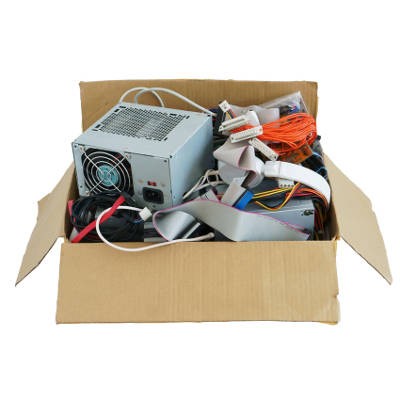
Technology has become more commonplace in offices and homes all around the world, and you might find yourself replacing it more often than previously thought. This leads to an awful lot of waste that can accumulate in your office, be it an extra smartphone, desktop, or something as simple as a random, non-functional hard drive. However, getting rid of your old, unnecessary tech isn’t as simple as throwing paper into a recycling bin, and it shows in the amount of e-waste that infects the world every day.
Tech Minutes
Your smartphone is an incredible tool, capable of doing so much for you as you go about your personal and professional days. For this week’s tip, we’ve put together some of our favorite ways to squeeze even more function and convenience out of your mobile device.
Security issues can have any number of causes, meaning that every business needs to have a comprehensive security solution. This doesn’t mean, however, that there aren’t additional, small measures to implement that can give your organization’s security an added boost. Here, we’ll talk about two: keeping your software patched, and identifying social engineering attempts.
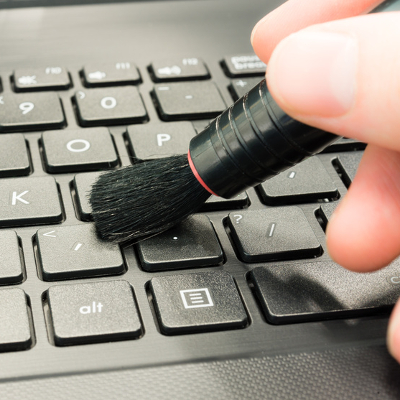
A clean computer is a happy computer. Just like any other piece of gadgetry, a computer requires regular cleanup sessions that allow users to get the most from them. In fact, January is known as Clean Up Your Computer Month, so what better way is there to ring in the new year than making sure your computer is in tip-top shape?
After a long, hard day at the office, you might be tempted to just log off of your workstation so you can get right back into it the next day. However, you also have the option to shut down the PC, which can be beneficial at times. So, what should you do; power down your desktop, or simply log off? Both have their own pros and cons, so it’s important that you’re informed of how you make this decision.
Are you experiencing performance issues with your computer network? Does it seem like it’s not running as effectively as it used to? Given the nature of technology, eventually, you’ll have to replace all of your computer hardware. But before you do, give your network a boost by trying these four IT maintenance best practices.
With Windows 10 to be launched on July 29th, all thoughts are drifting toward the inevitable upgrade to Microsoft’s brand-new operating system. However, we’d like to take a moment to travel back in time to last spring, when Windows XP expired. Remember how we warned that your business would need to shell out big bucks for custom support if you want to keep running Windows XP? It turns out that there are some who just can’t let go of the expired OS; including the US Navy.
If you’re an Android enthusiast, you’re aware that Google issued an upgrade to the operating system known as Android 5.0, Lollipop. In addition to a significant graphics overhaul and some functionality changes, one potential issue might have flown under your radar in the form of your Android’s alarm clock application.
If you host your own servers in-house, or in an off-site data center, you know all about the frustrations of keeping your hardware up to date and healthy. This also includes keeping your servers from overheating. These mission-critical pieces of hardware are known to produce incredulous amounts of heat, and keeping them cool only gets more challenging during hot, sticky summer months.
Two of the latest trends in business culture are environmentally friendly green campaigns and Bring Your Own Device (BYOD) work environments. There are a few ways that a BYOD system can contribute to the success of your company's green campaign, as they both seek to use technology to increase everyday efficiency at the office.
Improving your computer's startup time is a great way to get more productivity out of your work day. Studies have shown that people are most productive during the early hours of the day; therefore, you don't want to waste your best hours waiting for a PC to load. Here are three easy tips you can do to improve your PC's boot up time.
You've seen them around everywhere. Every time you watch TV, look at a poster, listen to the news, or have a conversation with a teenager, you'll be exposed to the term "hashtag". What are hashtags exactly? What do they do? Why should you care about them? How can they help your business? #readmoretofindout
When your network's security is doing its job and keeping your business safe, it's easy to not think about it because you don't feel the heat from any threats. Just because you're not feeling the heat, however, doesn't mean you're out of the kitchen. Even if you enjoy strong security, you will still need to perform regular security maintenances.