Email is often touted as a favorite medium for launching cyberattacks against businesses and individuals. This is because it’s easy to hide the true intent behind an email attack within its contents, whether they are embedded images in the message itself, or links to external sources. How can you know for sure whether the links in your email inbox are legitimate?
Tech Minutes
Spam is a tricky subject to talk about, as it seems everyone has a different definition for it. Yet, most have come to the conclusion that spam is a bad thing. For today’s Tech Term, we want to delve deep into the different kinds of spam out there, as well as theorize where the term even came from.
Email is a solution that needs to be protected, lest you expose important information to any onlookers while messages are in transit. Encryption is one of the key ways you can make sure that your messages are safe, but email hasn’t always used this method to secure messages. In fact, it wasn’t until relatively recently that encryption became a staple of the major email providers.
Gmail is a great way to take advantage of business email, but do you know all of the ins and outs of how to use some of its finer details? Today’s tip is dedicated to going over some of the more useful features of Gmail, like filters and labels--both of which will be helpful in controlling your inbox.
Communication is one of the cornerstones on which your business functions, and without it, you will find that going about your daily duties is considerably more difficult. Communication is one of the many ways your organization accomplishes both major and minor tasks, so you want to pay especially close attention to how your business handles phone calls, email, and even mobile devices--both in and out of the office.
Email scams have become a sort of punchline, often featuring Nigerian princes or wealthy, unknown relatives in need of funds to get home. However, another email scam is anything but amusing, as it uses a unique possession of the target to entice them to comply: their life.
It’s true that email is such a common solution that most people don’t think twice about how it works. However, it’s imperative that you at least understand the concept, as it can provide you with a considerable advantage when it comes time to optimize email access on your mobile devices. First, we’ll discuss the ways in which the two major message exchange protocols differ, and then dig into the specifics of why you should choose one over the other.
There are good emails, and there are bad emails. You know them when you see them, but can you write an email that’s more likely to be read and acted upon? There are a few key steps to writing them more effectively. For this week’s tip, we’ll walk you through five steps to improving your emails.
If you’re like most businesses, you almost certainly rely on email on a daily basis. However, if your email is hosted on an in-house server, you are becoming less like many businesses, as they are moving their solutions to the cloud. Here’s why you should follow suit and make the switch yourself.
Phishing scams have had a supporting role in many of the latest cyber threats, often as the means the attacker has used to start off their attack. This attack vector is relatively easy to avoid in most cases, but requires education for the end user.
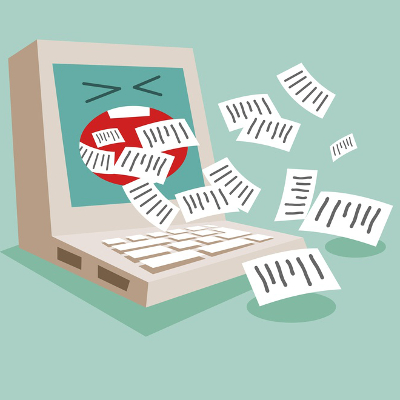
Chances are, you’ve heard of spam, but many don’t know how to identify it in the first place, let alone work around it. Frankly, spam can cause some serious damage to your business if not properly dealt with. In today’s blog, you’ll learn what makes spam, “spam,” and how you can keep it from infecting your inbox.
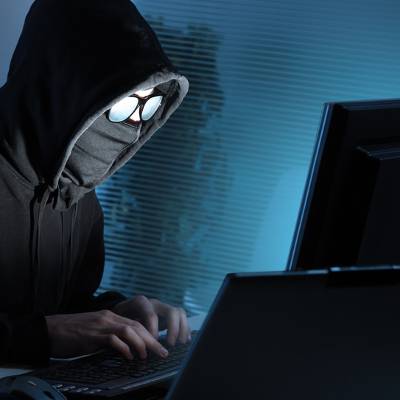
An unfortunate fact about the modern business world is that any organization that utilizes technology is playing with fire. Cyber attacks can circumvent even the most well-protected networks through the company’s users. This is, unfortunately, something that business owners often don’t learn until they’re on the receiving end of an attack; just like the two companies that fell victim to phishing attempts that were supposedly operated by Evaldas Rimasauskas, a Lithuanian hacker who has been accused of stealing $100 million from them.
Managing your company’s email can be a complex endeavor, due to the sheer volume of messages being sent and received, as well as the need to have a way to prioritize which messages are important. It’s safe to say that all organizations can benefit from email management solutions, such as email archiving and spam protection, and multi-factor authentication.
Let’s say that you receive an email from a software vendor, say, Microsoft. When you are contacted by a major company like this, do you automatically assume that it’s secure, or are you skeptical that it’s a scam? Ordinarily, it might not seem like a big issue, but all it takes is one click on an infected attachment or malicious link to infect your business’s infrastructure.
According to a Swedish cybersecurity firm called Detectify, there are major online domains that are at risk of email spoofing due to misconfigured server settings. Email spoofing is the act of sending a message, while masking the true email address that it comes from. This allows hackers to forge the sender address to suit their needs. Generally speaking, email messages don’t have automatic authentication built into them. This is something that must be configured on the server side of things.
Thankfully, there are ways to properly configure your email server, but unless you’re a hardcore techie, you run the risk of either configuring the system incorrectly, or changing settings that may compromise your security. Yet, it’s still important to keep in mind how the solutions that prevent email spoofing, work. Here’s a breakdown of the details:
Sender Policy Framework (SPF): This is a record that’s checked alongside the DNS (Domain Name System) record, in order to decide whether or not the server is allowed to send email using the specific domain. SPF uses three identifiers for its messages: softfail (accept the message, but mark it as spam), hardfail (reject the message entirely), and neutral (do nothing and let the message through unhindered).DomainKeys Identified Mail (DKIM): DKIM hashes the body and the header of the email separately, and creates a private key that gets sent with the message. Once the message is received, the key will perform a DNS request to see where the email originated. If everything adds up properly, the message is received.Domain-based Message Authentication Reporting and Conformance (DMARC): DMARC is considered the ideal solution, as it makes use of both SPF and DKIM to identify an email. DMARC’s functions split into three: reject (a full rejection, and the end-user never sees the message), quarantine (the message is stored for your review), and none (allow the message through). The idea is to either identify messages as fraudulent, or provide the system administrators with the ability to review them and make the decision themselves.You might be wondering why we’re even bringing this up, and it’s because Detectify discovered that, out of the top 500 sites on the Internet, 276 of them can be spoofed. Detectify considers servers that don’t have SPF or DMARC configured correctly to be vulnerable to email spoofing - this includes using no SPF at all, using SPF with softfail only, and using DMARC with action none. Therefore, you need to take measures to ensure that your team knows how best to identify spoofed email domains, and phishing messages in general. If you don’t, you could be placing your business in harm’s way. On top of that, you’ll want to make sure your email server is configured to not allow your email domain to get spoofed.
The best way to keep your employees from falling into this trap is by ensuring that you’ve educated them on security best practices, and to limit their exposure to such threats in the first place. This includes taking the time to explain to them how phishing threats and other security discrepancies behave, as well as implementing solutions to keep suspicious messages out of your inbox in the first place.

It’s time to be realistic and admit that the office can be an extraordinarily distracting place. Constant meetings and discussions, phones ringing, and emails hitting the inbox can all seem overwhelming. With so much going on, how can you get the most work done while still remaining in contact with your co-workers?
Gmail is a great email client, but not everyone uses it as their primary method of email communication. Some might prefer Microsoft Outlook, or they might still be using Yahoo Mail. Even if Google wants you to be using their email service, they know that they can’t win them all. For those who want the experience of Gmail without switching providers, you can now do so on the Gmail app for Android.
Sometimes you might write an email to someone who you’ve never emailed before (perhaps you scrawled down their email while on the phone or at an event), and questioned the authenticity of your recipient’s email address. Those who use email frequently know all too well what this feels like. It makes the most sense to first make sure that you have the right email address before sending a message.
Let’s say you get an email from a close friend. It looks like it’s legitimate, until you check the contents of the message. It’s an advertisement, or it’s trying to get you to click on a link to see something “important.” Regardless of what the content of the message is, you should probably slap that bad boy in the Spam section of your email inbox. You’ve just been the target of email spoofing, and it’s more common than you might think.
It’s not always easy for businesses to keep up with the latest communications technology. Some organizations are still stuck in the days of using antiquated communication mediums that are specific to the individual, rather than to an organization. In order to optimize the way your business communicates both internally and externally, it’s critical that you address the following two opportunities for unified communications.
Email is an aging communication protocol, but it’s still an important asset nonetheless. Even though society continues to push toward bigger and greater things, the modern office still depends on having an email solution for a communication medium. While we can’t get away from email completely, it’s important to make sure that using it is as easy as possible, especially for the busy business owner.
Whenever you receive an email, there’s the possibility that it’s a spam message sent to infect you with viruses or malware, or to just waste your time. This chance isn’t just negligible; in fact, it’s enough to warrant concern for anyone utilizing email as a communication medium, including business owners. Thankfully, users of Gmail will soon be having a much easier time knowing the origin of their messages, and whether or not they were sent over a secure connection.
Despite the rapid advancements of business technology in the past decade, enterprises the world over are still heavily dependent upon email. Therefore, every modern worker needs to be trained on how to send a professional email. If not, classic email mistakes will be made that could bruise your company’s reputation, like these four common email blunders.
How many email accounts do you have? At the very least, you have one for work and for one that’s personal, and if you’ve been doing email long enough, then you may have a few accounts left over from years ago which you rarely check (like your email address from college). Is there a way to combine these scattered accounts into an email address of your choice?
One of the most unpleasant aspects regarding email is the anxiety associated with sending an important message. Did the message really send? Has the recipient read it yet? Should I contact them and ask if they got my email? The struggle is real. Thankfully, there’s a Chrome extension designed to alleviate this stress by answering these pressing questions.
Email is such a staple of the modern office that it might seem like even the mention of a world without it is ludicrous. Others, however, feel like their inbox is keeping them from pushing toward bigger and better things. Email might hold a special spot in our hearts, but realistically, does it stand a chance in the future?
When you send a subordinate an email, you likely expect that they will read it and comply with the message. Unfortunately, this doesn’t always happen and messages, especially in organizations where email is used as the main form of communication between departments, slip through the cracks. To remedy lost correspondence, consider setting up an email archive.
Are your eyes constantly glued on your email inbox during the workday? It’s not bad to keep up with what’s going on in the office, but a recent study has linked constant email-checking to higher stress levels. This probably isn’t surprising to some, but some folks, like the researchers at the University of British Columbia, claim that there’s a maximum number of times to check your email throughout the day to minimize stress in the workplace.

Email has revolutionized the way we communicate, but in some cases it can be a dangerous distraction to productivity. This is especially true if your company is trying to maintain its own Exchange mail server. Does having email on the brain give you a headache? If so, you might consider looking into a hosted email Exchange solution from Directive.
Since the dawn of the Internet, email has been that thing you love to hate. Email was meant to be a dynamic tool capable of replacing the odd fax machine and postal mail. Today, some workers dread even opening their inbox due to how much time they have to invest in it. Some might even wonder if there’s a better way to go about their work day.
For those with weak stomachs, it’s not recommended to go back and read an email that was just sent. In doing so, a spelling or grammar error is likely to be found, which will cause one’s stomach to turn and fill with regret. If only there was a do-over button. Thanks to the new app called Pluto Mail, there is one.
Email is synonymous with doing business in the digital age. Therefore, it's in your best interest to become an expert at crafting dynamic emails. Writing a good email takes common sense and careful editing. You don't have to be an English major to write a professional email--just follow these simple tips.
The value of your email account cannot be understated. You may think less of your email inbox because there are so many other ways to digitally communicate, but to a hacker, your email is a goldmine of valuable information. You may use your email less than ever before, but that doesn't mean you can neglect email security.
One of the most common ways computer viruses spread is through email. Most of the malware-carrying messages are caught in your account's spam filter, so you don't have to worry about those. It's the malicious emails that make it to your inbox that you need to be mindful of, and phishing emails are by far the most dangerous.
One of the biggest time wasters we all face is sorting through our email inbox. This is a tedious task made worse because you have to sort through emails from the same sources every day, like newsletters and social media updates. Here's a tip to help you better organize your incoming Gmail messages.
Much has been made of the cloud recently and you see more and more that companies of all sizes are beginning to utilize cloud computing services in some fashion. Whether it's simply the incorporation of web-based social networking interfaces as inexpensive (and seemingly valuable) marketing tools, or the complex hosting of your company's entire computing infrastructure, the cloud has several options that can work for your business. Below are three ways in which the cloud can present your organization reasonably valuable solutions.
E-mail and other forms of digital communication have revolutionized the way humans interact. Anybody old enough to remember life before e-mail (B.E.), can tell some great stories that include kooky characters like Mr. Stamp and Mrs. Envelope. E-mail has changed things; all of us use it every day, but how does it work?
Anytime you take a step into the Internet, there's a pretty good chance that you are going to step in a fresh and steamy pile of spam. Spam can ruin your company's Internet footprint. Spam can also find its way into the depths of your website and stink up the whole place. It's especially embarrassing when you don't even know that you have spam on the bottom of your virtual shoe; here's how it got there.

Do you consider yourself a person who likes to get down to the point? If this is your personality, then you likely have little patience replying to every e-mail in your inbox. To help speed things up, we have a Gmail tip that allows you to quickly reply to a specific point so that you can better make your point.

As your vacation winds down, the reality of being away for a week or two begins to sneak up on you. Knowing that you have a full inbox of back messages may put a damper on your relaxed mood. If you planned ahead, then you would have used an auto responder to automatically notify everyone that you were away.
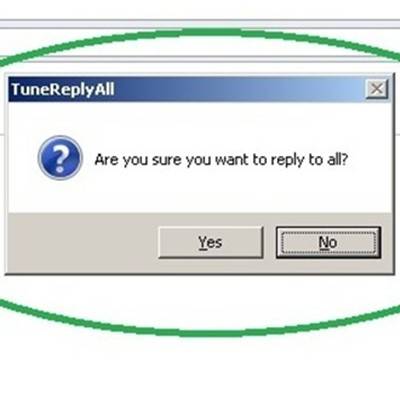
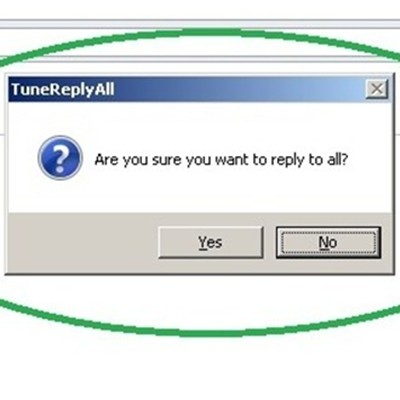
The Reply All feature of e-mail is both a tool of great convenience and great embarrassment. Not since the nuclear bomb button has there been a single button that can do so much damage. To help you avoid making this fatal mistake with your e-mail, we will share with you a free Outlook add-on called TuneReplyAll.
If only spam were true. You would have thousands in unclaimed money, cute singles would be lining up to meet you, and there would be a magic pill that would revolutionize your personal life. Some spam is so ridiculous they are instantly deleted, others are more subtle and dangerous. Here are some threats to watch out for before you open that unsolicited email.
Everyone who uses e-mail has become accustomed to finding the occasional Spam e-mail. No matter how careful you are, it's only a matter of time before you receive a Viagra testing e-mail, the South African Inheritance Tied Up in Legal Battles, or the Winning of a Sweepstakes that you never signed up for. Where do those e-mails come from?
Why Upstate New York Businesses should all say "I Don't Like Spam!"
Spam wastes company time and harbors viruses and malware that can quickly infect your entire network. It can bog down your network and your mail server.
Email is (and has been) a prime method of communication for businesses of all sizes. With email comes a whole slew of issues that are essentially synonymous with the technology; spam, information overload, phishing, and information privacy. Even Upstate New York small businesses that only do business locally are at risk of these issues. Personal email accounts are equally at risk. Employing proper precautions and practices whenever communicating via email is very important to prevent the risk of security compromises, monetary loss, and even legality issues.
Email has integrated itself into the way we do business. If you use Outlook as your primary email client, there are plenty of tricks you can do to increase your productivity and practice better email etiquettes.
If you use email, you've probably seen spam. If you think we're talking about a canned meat product, and are wondering how it relates to email, then we envy you. For everyone else, saying your inbox probably has a little spam is a dramatic understatement. Spam comes in several different flavors; ranging to inappropriate solicitations to unwanted gibberish to carefully coordinated scams. We're going to go over one of these tricky spoofs that is known to fool users.
Ever sift through all that junk mail and wonder if you are in the wrong line of work? Obviously the spam industry is working for somebody, or else it wouldn't still be running your inbox rampant with unsolicited junk, right? Spam is more than just a nuisance for small businesses. Hit the jump to find out why.