There are over two billion active devices currently using Android. Most of them that have been purchased in the past year or so have come with, or have been subsequently updated to, Android 9.0 Pie. With the introduction of their newest mobile OS, Google has ensured that their software powers more mobile phones than any other software in the world. Today, we’ll take a look at some handy tips you can use to get the most out of your Android Pie experience.
Tech Minutes
Learning how to use a new technology can sometimes be troubling. If you’ve been a dedicated Apple customer throughout the years, but are considering switching allegiances to Android, you should know that simple differences between the two platforms can end up disorienting. Here are a few things you have to know when switching away from the iPhone.
Considering how often smartphones are replaced, you’re bound to have a couple of them stashed away for a rainy day. These devices are particularly helpful in the event that your smartphone breaks unexpectedly, but there are other purposes that you might want to keep in mind. Here are three ways you might be able to use your old mobile devices around the office.
Downloading an application on an Android device is fairly simple: access the Google Play store, find the app you want to download, and press the button that says install. However, it is also too easy to simply hit ‘Allow’ once the app starts asking for ambiguously-worded permissions. Today, we’ll examine what these permissions actually mean.
Android is a very common operating system on mobile devices around the world, and because of this, you won’t be surprised to hear that hackers are always trying to one-up security developers. If your business takes advantage of Android devices like smartphones or tablets, you’ll want to consider these 11 security tips that will help keep your organization safe.
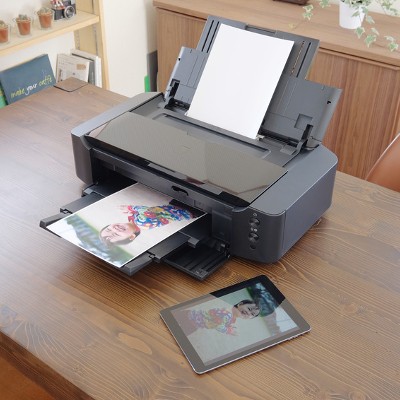
Most people don’t think to try and print something out from their smartphone--particularly because it’s such a new concept. With smartphones quickly becoming just as fast as desktops from just ten years ago, it shouldn’t be such a stretch to suggest printing from them. Thanks to the cloud, you can use your Android smartphone to print something directly from the device.
The latest version of Android, Oreo (version 8.0), was released earlier this year. Has your phone received the update to it yet? Either way, you’ll want to know what features it has, including how it can help you get more done. Here are five of the many new additions offered by this update to Android Oreo operating system.
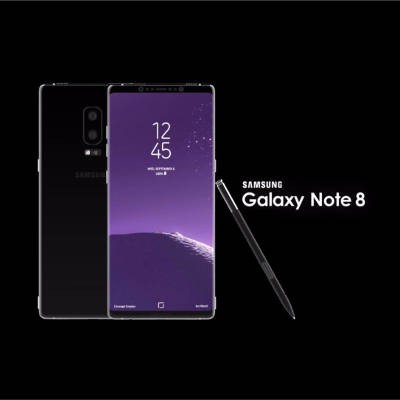
Samsung fans are getting geared up for the release of their new smartphone, the Galaxy Note 8. Even though it might seem as though the technology world has moved on from the exploding Note 7, you can be sure that Samsung is still feeling the reverberations from last year’s debacle that resulted from the now-infamous exploding of their much-anticipated Galaxy Note 7.
Does your business have trouble keeping data on the company network? This can be an issue if your employees use their mobile devices to do work while on the go. In order to keep this from becoming an issue, you should encourage your employees to not keep sensitive data on their mobile devices, and establish policies that give you control over your data and email on personal devices. That said, let’s show you how to get your data off of your Android device and back on your network where it belongs.
Have you ever gotten the feeling that your mobile device’s screen is just too small to be used effectively, despite the fact that smartphone screens are bigger than ever before? Well, there is a way to mirror your phone’s screen to a larger screen, like your PC monitor. Here’s how you can do this with your Android device.
Have you ever received unsolicited calls from unknown numbers? Sometimes you might receive them at incredibly inconvenient times, such as while you’re home and trying to wind down after a long day’s work. While Caller ID and voicemail have allowed users to keep unwanted calls to a minimum, there are other ways that you can block a caller entirely from reaching your smartphone.
In today’s mobile-centric world, portability is becoming more and more crucial to success in business affairs. This phenomenon can easily explain why tablets are commonplace in boardrooms and briefcases. With Apple and Samsung offering two heavy-hitting tablets (the Galaxy Tab S3 and the iPad Pro), we’ve decided to analyze their features head-to-head to find out which is the supreme option for your business needs.
Android smartphones are well known for taking advantage of the plethora of applications developed by Google, like your calendar and Google Drive. One of the best ways you can get the most out of your Android device is by using its Gmail application. We’ll walk you through how to add a new Gmail account to your device, and how to switch between your multiple Gmail accounts.
Everyone gets unwanted calls from unsolicited numbers on their smartphone. It’s a part of life. What matters, though, is how you deal with these callers. While a pretty comprehensive solution to this problem can be contacting your provider, some more recent models of Android smartphones have the ability to blacklist phone numbers built right into the device.
Virtually every tech user wishes their mobile device battery would last longer, yet not every user understands that they can achieve this simply by adjusting their device settings. Here are seven simple adjustments you can make to your Android device in order to get its battery power to last longer.

With many organizations heavily relying on mobile computing, malicious operators have begun targeting the “low-lying fruit” of a business’ IT infrastructure, which is often a company’s mobile devices. Kemoge, a malicious adware strain designed to corrupt Android mobile operating systems, is the latest mobile threat that your business needs to protect itself against.
If you’re an Android enthusiast, you’re aware that Google issued an upgrade to the operating system known as Android 5.0, Lollipop. In addition to a significant graphics overhaul and some functionality changes, one potential issue might have flown under your radar in the form of your Android’s alarm clock application.
We all know how useful smartphones are, especially when you’re in a pinch and need to access the Internet. However, you can’t take advantage of any of these sweet features if your battery dies out within four hours of a full charge. This might be an extreme case, but the point stands that there’s a ton of stuff draining your battery when you don’t want it to.
We all know how touchy WiFi can be, especially when you need it most. A shoddy wireless signal can be especially troublesome if you have tasks that need to be completed, and you need a WiFi connection to complete them. Instead of getting all flustered and calling your ISP, try using your Android smartphone as a mobile hotspot.
The busy business owner keeps sensitive work-related information stored on their mobile device. If he lost the device, it could have disastrous results, especially if the device were to fall into the hands of an experienced hacker or competitor. Just in case, it’s a best practice to always lock your mobile devices. How do you choose the Android lock feature which is right for your unique needs?
It’s no secret that Android devices are omnipresent in the mobile market. However, they have a flaw which some people might not even have realized is there: The lack of a recycle bin for deleted files. Because of this, any files you want to delete from your device will be lost forever upon deletion (though you might be able to ask the NSA for a hand finding them). Thankfully, there’s a fix to this issue with an application called Dumpster.
Mobile technology has invaded our very way of life. We don’t leave the house without our mobile phones, and many business owners have their phones integrated to connect with their company’s network. The average user has many different social media applications and others that utilize personal information. What would happen if you lost it?
It's a classic battle. Android versus iOS, a technological battle royale for our portable device hearts. It was a very interesting year for both platforms as iOS launched the largest revamp of its software to date with iOS7, and it seemed like every budget device out there was running some sort of Android software. Apple critics were quick to point out that their new software had astonishing similarities in both looks and feel to Android, while Android critics were quick to point out Apple devices with the new A7 chip were faster and more powerful than anything else on the market. So, who won out in 2013? The numbers may surprise you.