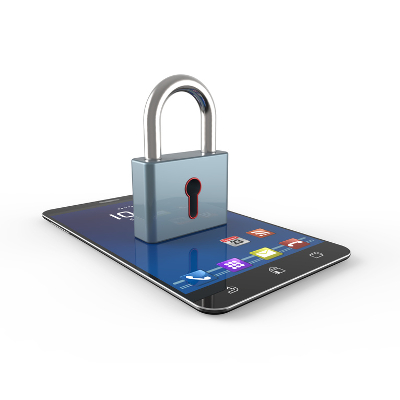
Smartphones are the predominant mode of communication, as well as now being the devices most used to access the Internet. With so much depending on the modern smartphone, it has become one of the largest, and most competitive, markets of any consumer item. As a result, manufacturers are building devices with software that is able to encrypt the phone against unauthorized access.
Tech Minutes
Android is a very common operating system on mobile devices around the world, and because of this, you won’t be surprised to hear that hackers are always trying to one-up security developers. If your business takes advantage of Android devices like smartphones or tablets, you’ll want to consider these 11 security tips that will help keep your organization safe.
Your smartphone is an incredible tool, capable of doing so much for you as you go about your personal and professional days. For this week’s tip, we’ve put together some of our favorite ways to squeeze even more function and convenience out of your mobile device.
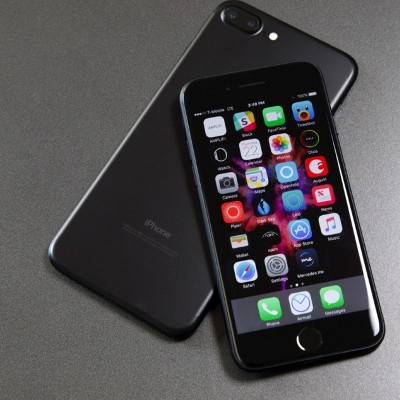
It seems hard to believe that the smartphone has been around for over a decade. When Apple rolled out the first iPhone in 2007, it triggered a momentous shift in the way people access information. Over the past 10 years these devices have gone from somewhat of a novelty to a staple of modern computing. More data is transmitted and accessed by smartphone than by any other means, and Apple has been at the forefront of this computing shift from its inception.
The latest version of Android, Oreo (version 8.0), was released earlier this year. Has your phone received the update to it yet? Either way, you’ll want to know what features it has, including how it can help you get more done. Here are five of the many new additions offered by this update to Android Oreo operating system.
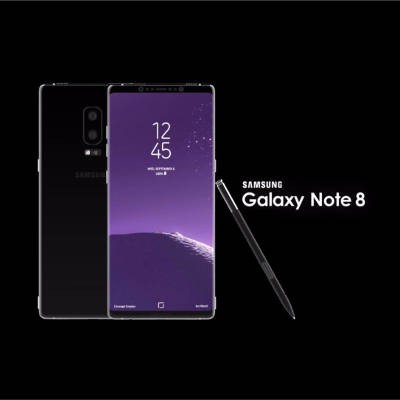
Samsung fans are getting geared up for the release of their new smartphone, the Galaxy Note 8. Even though it might seem as though the technology world has moved on from the exploding Note 7, you can be sure that Samsung is still feeling the reverberations from last year’s debacle that resulted from the now-infamous exploding of their much-anticipated Galaxy Note 7.
WHOOPS! This might be one of the more PG-rated things you would say if you dropped your phone, and perhaps additional colorful words would follow the moment you discovered that your phone’s screen is now cracked. If you find yourself in such a predicament, what do you do next? We’ll help you deal with this unfortunate circumstance in the best way possible.
Oh no! You start slapping your pockets, already knowing what you’re about to confirm--your mobile device is missing. With the reliance we have on these devices, losing yours is enough to send you into a relative panic. However, this panic may be avoided by implementing a reliable solution specifically for locating a lost device.
What if we asked you to throw your expensive smartphone high up into the air, just for the fun of it? You’d probably tell us to take a hike. However, thousands of phones get tossed into the air and put at great risk every day, thanks to an app designed for just such a purpose. In our opinion, this may be the greatest (and most devious) technology prank of all time.
Listening to the radio is a great way to pass the time during your morning commute, especially if you don’t have a CD player or an auxiliary port in your vehicle. While listening to the radio, you might hear a catchy tune that you want to look up later. Now, thanks to various smartphone apps and technology solutions, you can do it while listening to the song.
Everyone gets unwanted calls from unsolicited numbers on their smartphone. It’s a part of life. What matters, though, is how you deal with these callers. While a pretty comprehensive solution to this problem can be contacting your provider, some more recent models of Android smartphones have the ability to blacklist phone numbers built right into the device.
We’ve all run into the trouble of keeping our smartphone’s battery preserved for as long as possible. Many people think that the apps themselves are what bogs down the battery and drains its charge, but we’re here to tell you that this is not the case. Instead, let’s determine what really drains your device’s battery.
The addition of the smartphone to every consumer’s repertoire has been great for enhanced productivity and accessibility, but it’s not all bright and sunny for everyone’s favorite mobile device. While productivity might be on the rise, manners seem to be in decline, thanks to people not knowing how to properly use their smartphone in public without annoying everyone around them. Here are four smartphone etiquette tips that every device owner should keep in mind.
We all know how useful smartphones are, especially when you’re in a pinch and need to access the Internet. However, you can’t take advantage of any of these sweet features if your battery dies out within four hours of a full charge. This might be an extreme case, but the point stands that there’s a ton of stuff draining your battery when you don’t want it to.
We all know how touchy WiFi can be, especially when you need it most. A shoddy wireless signal can be especially troublesome if you have tasks that need to be completed, and you need a WiFi connection to complete them. Instead of getting all flustered and calling your ISP, try using your Android smartphone as a mobile hotspot.
With more businesses moving toward Bring Your Own Device (BYOD) than ever before, the workforce grows more mobile by the day. These workers generally need a network connection in order to access important data and applications that are crucial to their day-to-day responsibilities. One way to do this is to use your service provider’s mobile data plan, but this can be both expensive and draining when used excessively.
Smartphones may have been some of the first Internet-connected mobile devices, but they are still as vulnerable to attack as ever. This is especially true for those who forsake any sort of mobile device security policy. With modern businesses utilizing mobile devices, it’s more important now than ever before to have solid security practices in place.
There is consistent conversation about the security of your data and the best ways to minimize the risk of losing it. At some point in this conversation the topic of mobile devices comes up. The general consensus is that the more places your staff can access their work, the more they can get done, and how could it not? With smartphones becoming as predominant as coffee mugs, and the nature of mobile devices that have the capability of hopping from one network to the next, how can you ignore that the devices themselves are a data-loss risk?
2013 might go down in history as the bridge year between high-end handheld electronics and wearable gadgets that offer enhanced flexibility and access, but for now, the best electronics for communication, collaboration, and convenience are the handheld computers that we've learned to lean on. Below are some of the top smartphone options on the market.
As commonplace as cellphones are today, it's hard to imagine that there was a time in the 1980's when this technology was first introduced and the benefits had to be explained. Here's an old cellphone commercial from Motorola about "the booming industry of cellular radio telephones." Times sure have changed!
If you use a smartphone to take personal pictures and post them to the Internet, then you may unknowingly be posting more about yourself than you want to, like where and when the picture was taken. This information in the hands of the wrong person can lead to dangerous consequences, like theft of your property, your identity, or even kidnapping.
According to a recent survey by Experian Marketing Services, the average American spends approximately 58 minutes per day on their smartphone. Those of us who are gadget lovers may respond by saying, "One hour, is that all?" A device taking up one hour per day has huge implications with how we both live and do business.