A server is a very important piece of the modern business’ technology infrastructure, and so it is important to understand what it is that could cause it to crash. Here, we’ll go over some of the most common crash causes to help you determine how to best take care of it.
Tech Minutes
While maintaining any system can be a pain, your business can’t afford not to maintain your network. An MSP can help you to do so, delivering the benefits of regular network maintenance.
It should come as no surprise that a crash occurring in your computer network is a bad thing for your business. However, the real ramifications of such an event might not immediately come to mind. Fortunately, there are precautions that may be put into place that can help you to mitigate the chances of a network crash.
Your network is arguably your business’s most valuable asset. It keeps your team connected to critical information and applications that are imperative to the continued success of your company. With complex cabling, however, your workstation and network infrastructure can quickly grow uncontrollable. Isn’t there an easier way to manage your network components that can help your business grow, unhindered by physical infrastructure?
Most of your business’ technology is a direct result of your need to quickly and securely disseminate information. While there are solutions meant to improve efficiency peppered in there, the vast majority of IT solutions are designed to create, share, or protect information. On today’s Internet there are many threats looking to corrupt or intercept that information. One way your organization can share information more securely is through the use of a Virtual Private Network (VPN).
A network is arguably one of the most important assets that your business has. It keeps your team connected to crucial information and mission-critical applications. This is perhaps why it’s so irritating when your network acts up. You should be on the lookout for even the slightest problem with your network, as even a small change could be a sign of bad things yet to come.
Security is a top priority in today’s business environment, especially following high-profile hacks of notable enterprises. Unfortunately, the fact of the matter is that these hacks could have been prevented if both the employees and employers of these organizations followed strict security best practices for their technology. Thankfully, it doesn’t have to be hard to teach your team how to properly use technology.
One sometimes-frustrating aspect about computer networking comes from the always-changing nature of technology. For example, let’s say that you have your network perfectly set up with everything running smoothly, then comes along some newfangled IT trend or mission-critical technology workflow that requires you to change everything. You can’t prevent this from happening, but you can stay on top of the latest IT trends so that you’re not caught off guard.
When a company is lax about their network security, this can lead to countless threats swarming the network and invading your systems. Yet, sometimes the most dangerous threats come from within. A common issue comes from employees accessing undisclosed files unintentionally and deleting them, which can cause more damage than you think.
The world’s largest terrestrial vehicle is the German-made bucket-wheel excavator known as “Bagger 293.” Used for open-pit mining, Bagger 293 hulks over the landscape at a length of 722 feet, and a height of 310 feet (twice the size of the Statue of Liberty). As a bonus, this beast-of-a-machine is made more ferocious thanks to remote technology.
There are several factors at work when scoping out your current network security situation. According to a study from 1&1, 67 percent of people confirmed that someone they know has had information stolen from them while online, which means that your business could be next. In order to remain one of the few unaffected by security breaches, consider these three network security features for your business.
Your company’s network can be very sensitive at times, and even the slightest disruption can cause downtime. Be it an immense natural disaster or something as simple as forgetting your login credentials, it’s common problems which cause the most trouble for businesses. In order to fight against these issues, it’s best to prepare yourself for these three common (and fairly simple) scenarios.
Today, having a strong WiFi signal is critical. You need a reliable signal for every part of your home, office, and even outside the building. Is your wireless signal strong in some areas and spotty in others? Would your life be immensely easier if your signal extended for just one or two more rooms? For this week’s tip, here’s how you can extend your WiFi signal.
There’s a value to having a neat and tidy office where everything is where it’s supposed to be. In addition to seeing a boost in productivity because you’re not having to fight clutter, you just feel good about working in a space that’s clean and orderly. These same principles of organization apply to your company’s network.
In these times, passwords are losing their effectiveness. Hackers can now input millions of passwords every second to crack your code. Even now, professionals are working on new solutions which can jumpstart online security. While using a password is still an ideal choice, there are plenty of other options that are being discussed in the two-factor authentication field.
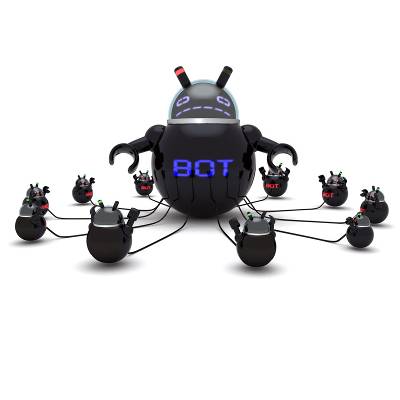
Hackers have many different tools at their disposal to access your computer. Some of these tools can even control your machine! When a hacker controls your PC, your computer is now part of a network made up of other compromised devices that they control. This compromised network is known as a botnet, and you don't want to be part of it!
Because you manage a business, we don't have to convince you of the benefits of planning ahead. For example, having an onboarding strategy in place for hiring a new employee will get them acclimated more quickly, which will help them contribute to boosting your bottom line faster. Similarly, planning your IT network maintenances will benefit your organization.
One of the purposes of technology is to help your business grow. The best way to achieve this goal is to be intentional with your technology. Sometimes running a business can be so hectic that keeping up with your technology becomes an afterthought. Neglecting your technology can eat into your organization's profits; therefore, it makes more sense to outsource your IT.
Your company's technology infrastructure is made up of several complex systems that all work together in order to keep your business running smoothly. Your IT infrastructure functions much in the same way as another type of infrastructure, your house. It's surprising how much you can learn about computer networking by looking at "This Old House."
The modern IT landscape is dramatically changing from a model where an IT department controls everything, to companies outsourcing their IT services. This paradigm shift challenges older ideas about traditional network security equating ownership and control with strong security. Does your business view IT outsourcing as a security help or a hindrance?
We've all learned in our Business 101 studies that cutting costs is an absolute priority of business operation. While there are plenty of products available that promise to save your business money, perhaps the easiest and most effective way is to downsize. Gartner Inc. reports that you can eliminate a quarter of your IT expenses by simplifying your IT network.
There is a common misperception that strong anti-virus software is all you need to cover the security of your network. While anti-virus software is an important component to network security, there's more to it if you want a secure network. You need to also take into account the human factor, which can disable even the strongest software solution.
With an increase in Distributed Denial of Service (DDOS) attacks and packet flooding volume, its evident that hackers are using compromised web servers for their malicious activities. By infecting servers, these dastardly infiltrators create a Zombie command-and-control center to direct their malicious activities from.
Are you going to make sure your machete is handy and start boarding up your windows for the coming of George Romero's slow-moving walking dead, or will you load up on ammo and lock yourself in a bunker for the more active and feral Max Brooks-type zombies? What about your data, like your Zombie Survival Guide E-book? Is it safe?
The whole purpose of having a network infrastructure is to allow different users to access and share needed files and applications. With your data centralized to a server, you will need to have a system in place that allows certain people up-to-date permissions to access needed files from every computer. This is where Active Directory comes in.
What do hackers look for when choosing a victim? While there are hackers out there that specialize in targeting high-profile companies and executives (a hacking method call whaling), most hackers do a broad sweep of the Internet and choose the easiest targets. If your company has weak network security, then you have a target on your back.
A growing business is always in expansion mode. More revenue means that more employees will need to be hired. Every new person on-boarded will require a workstation. Adding more computers to your network will require more resources from your network, requiring you to expand your network. When you need to expand your network, you can save expansion costs by going wireless.
Thanks to the cloud computing, there's a lot of chatter these days about doing your work remotely. The idea of accessing your data from anywhere on any device is an exciting prospect, but it is not a new one. Windows Terminal Services (renamed Remote Desktop Services in Windows Server 2008 R2) has had this ability for many years, and it is still a great remote service option for your network.