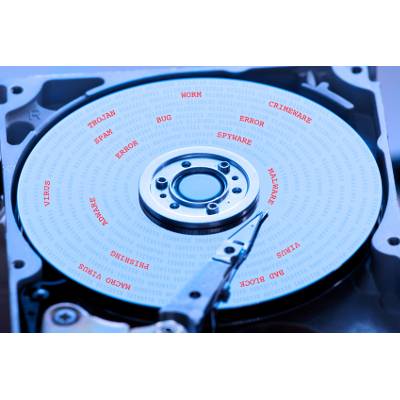
What one organization considers a disaster might be much different than what another business might see as disastrous. Perhaps one sees the loss of a few hours and a few files as something that can be recovered, while another sees every lost moment and each iota of data as a catastrophe. Whichever camp you find yourself in, you need to be able to do two things: first, gauge how serious a given data loss disaster is, and secondly, establish what must be done to get back in action following said disaster.
Tech Minutes
Today most companies utilize computers in the dissemination of their services. Whether you run an office that deploys dozens of computers and multiple servers, a busy restaurant with a full-scale point of sale system, or a contractor that only needs one computer with invoicing software, you depend on your data. Since most businesses also provide goods and services for many people that indirectly depend on it, having a plan to protect the business from potential devastation is important.
As a business owner, you expect to stay in control of what your business does. Unfortunately, there are certain variables in running a business that simply can’t be controlled, like the weather. Therefore, you need to take special care to ensure that these uncontrollable instances don’t become a threat to your business’ prolonged existence. To this end, we recommend a business continuity plan.
Nobody ever wants to admit that their business has a problem with security. Unfortunately, as the one responsible for the future of your organization, you have to consider all possible outcomes of any potential data loss incident. Furthermore, many of these incidents are beyond your control. Thankfully, you can soothe the pain of a data loss disaster by thinking ahead and planning for the worst.
When we talk about best practices, we are typically referring to the practices used by successful companies to garner the best results. A new study by Disaster Recovery has shown that, as backup and recovery solutions go, enterprises are providing some pretty disappointing results as many fail to continuously back up their data and it results in additional inherent risk.
Just over a third (36 percent) of businesses don’t back up business data at all, and apparently this number isn’t keeping some IT providers up at night (not the case for us). Your businesses’ data is precious, irreplaceable, and extremely expensive to lose. Let’s talk about how delicate and dangerous it is to not have it backed up.
Business owners require ubiquitous access to certain information stored on their organization’s infrastructure. Thus, there’s an immediate need to safeguard this data from any sort of impending destruction. We’ll discuss ways that you can prevent the worst when it seems like your data will fall victim to a loss incident.
It doesn’t take much to derail a business. Even the slightest disruption in power can lead to an unexpected power-down, and something as simple as a severe rainstorm could lead to floods that wash away your data. The point stands that you have everything to lose, and without data backup and disaster recovery, your business practices could be in danger.
Why You Need Backup and Disaster RecoveryEvery organization should have a sound plan to recover any data that’s lost due to unexpected disasters. It’s been proven that organizations that fail to recover lost data within 7 days of the incident, typically go out of business within one year. There are many reasons why data backup and disaster recovery solutions need to be implemented. Here are just a few of the threats that could uproot your business and disrupt operations.
Natural disasters: Floods, fires, electric storms, tornadoes, hailstorms, and so on, all have the potential to not only destroy your physical infrastructure, but also your business’s data. Therefore, if you’re in a region that’s prone to extreme weather conditions, you need to consider backup and disaster recovery.Cyber attacks: Data breaches are well-known culprits of data loss. It’s not easy to predict what a virus or malware will do, but most often, they’re designed to steal your data, delete it, or lock it away until a ransom is paid. In all of these cases, it’s best to have your data backed up so it can be safely restored.User error: The biggest threats often come from those who are supposed to have access to your data, not just those who don’t. If an end-user accidentally deletes a file, moves it somewhere it doesn’t belong, or hands over credentials to a hacker on accident, your data is put at risk.Hardware failure: The inevitable part of working with technology is the fact that it will eventually fail and be rendered obsolete. This can happen when you least expect it, and the costly downtime can be a major setback for your business - not to mention the data that could be lost if a server were to go down.What You Should Look ForNot all backup and disaster recovery services will be the same, nor should they be. You need a solution that’s customized to meet the specific needs of your business. Here are some of the best features to look for in a BDR solution, and why they’re critical for the continued functionality of your business.
Cloud and off-site backup: You don’t want to store your data backups on in-house tapes. Rather, you want them secure in an off-site location, like the cloud or a data center. This way, you can know that your data is stored in a compliant location that can’t be damaged by natural disasters.Quick recovery time: You want to be able to rapidly deploy your business’s data to your infrastructure in order to minimize downtime. Tape backup can make this part of the recovery process long-winded and wasteful, but BDR can automatically deploy your data through the cloud, making recovery practically instantaneous.Comprehensive backup: Furthermore, you want to make sure that your data is as recent as possible. Tape backup is inefficient for this purpose, while BDR can take backups of your data as often as every fifteen minutes - maybe even more often.For more information about BDR and business continuity, contact Directive at 607.433.2200.

Data backup, regardless of its form, is a critical component of any modern IT infrastructure. If you’re not using data backup or disaster recovery, your business could be risking crippling data loss. Even if your infrastructure is protected from typical threats like viruses and malware, these security solutions aren’t going to prevent a devastating hardware failure.

There’s no question that data backup is absolutely critical for the success of any modern-day business, but how does your organization go about it? Just like how we rely on quick snapshots to capture moments with our smartphones or digital cameras, most backup solutions take advantage of image-based backup technology. How does this kind of data backup work, and what are the benefits it provides your business with?
When it comes to your business’s technology infrastructure, the more basic it is, the better. Granted, a simple IT infrastructure isn’t always easy to install, especially when there are so many great solutions on the market that can be implemented to achieve optimal efficiency. Sometimes the best IT solutions are those that make your technology simpler to manage, and your network less complicated. That said, you’d think redundancy would complicate this formula, but it’s actually a necessity for your business continuity plan.
Today is Disaster Preparedness Day! This means that there’s no time quite like the present for preparing for potential future data emergencies. While the type of disasters vary immensely depending on your business’s geographical location, every business needs a disaster recovery plan implemented as soon as possible.
September 30th is Disaster Preparedness Day. This gives us a great reason to go over some of the most common disasters that can potentially affect your businesses. There are dozens of potential disasters to choose from, but since we’re an IT company, we’re going to focus on the four top disasters that can mess with your company’s IT infrastructure.
Your business relies on its IT to get things done, but if disaster were to strike, would you be able to recover efficient operations without having to deal with the numerous headaches that are associated with downtime? Even if you have instituted a reliable backup solution, your business could still be hurting if your backup failed. Here’s how you troubleshoot this scenario.
You’re walking your dog when all of a sudden, you get this game-changing idea for how to manage your technology. You get excited to integrate it into your IT strategy, but by the time you get home, the thought is gone and you can’t remember it. This “Eureka” moment is just like data loss; it could occur at any time, and without warning, whether you’re ready for it or not.
There are a number of disasters which could hamper your business’s continuity, but the most dangerous ones occur when you least expect it. Despite this, it’s not always clear that your business needs a data backup and disaster recovery solution until it’s too late. You stand to lose everything your business has worked so hard for by ignoring potential threats, many of which can be prevented by simple proactive measures.
You always hear about IT professionals discussing the importance of data backup. Why? Because it’s one of the single most-important processes you can integrate into your business continuity plan. While all managed services present a value to your business, only the Backup and Disaster Recovery (BDR) solution is capable of restoring data that has been lost thanks to unexpected hardware failures or natural disasters.
Every business owner knows how important data backup is to their company's continuity plan, and they realize that a disaster recovery solution can help save them in the event of catastrophe. However, some businesses think they are the same thing, and they are sadly mistaken. While they are similar, a backup is not a disaster recovery solution.
In 1859, our planet was hit with the largest recorded solar flare. This particular flare was known as the Carrington Event and it produced auroras that could be seen all around the world, even as far south as the Caribbean. The 1859 solar flare caused minimal damage and was seen mainly as an oddity. If such a flare struck today, however, the world would erupt into chaos.
If your business were to lose important files due to an unexpected Microsoft Office crash or hardware failure, what would you do? Losing files can be difficult to recover from, especially if you aren’t using a cloud service which saves automatically after every edit. Lost files don’t benefit anyone, and if they are important, it could even put your business at risk. But don’t worry; there’s a way to recover lost Office files if things turn sour.
Your mind is racing at a mile a minute, and you keep a to-do list for all of the things you are supposed to do. Unfortunately, that to-do list is often forgotten about. You save it as a .DOC text file on your computer, which has been making a strange clicking noise lately. But one day, the clicking sound gets worse, and worse, and worse, until your computer stops working completely. Just like that, all of your data is gone, and that's when it hits you.
A business that manages its data efficiently will be well positioned to handle growth. One of the most crucial components of data management is ensuring that everything is backed up properly; an increasingly difficult task as businesses use more data every year. Implementing a cost-effective and reliable data backup solution should be the goal of every IT professional.
The importance of backing up your company's data cannot be stressed enough. Data is your business' most valuable asset, as evidenced by the fact that companies unable to access their data for ten days after a major disaster (like Hurricane Sandy that hit the mid atlantic and northeast U.S) will not survive the next fiscal year. Here's how to protect your business with data backup.
Every business needs to have a business continuity plan to keep operations going after experiencing a disaster. The centerpiece to every plan is having a backup and recovery solution in place for your company's data. If something happens to your data, your business may not recover. Here are four backup statistics that show the importance of backing up.
One uncontrollable aspect in life is Mother Nature. There's no way you can stop a hurricane from ripping your roof off, but you can have an emergency plan in place for when/if it happens. People need to know what their responsibilities are and the action they need to take in those cases. How will your business continue operations in the event of a natural disaster?